
Administration Interface
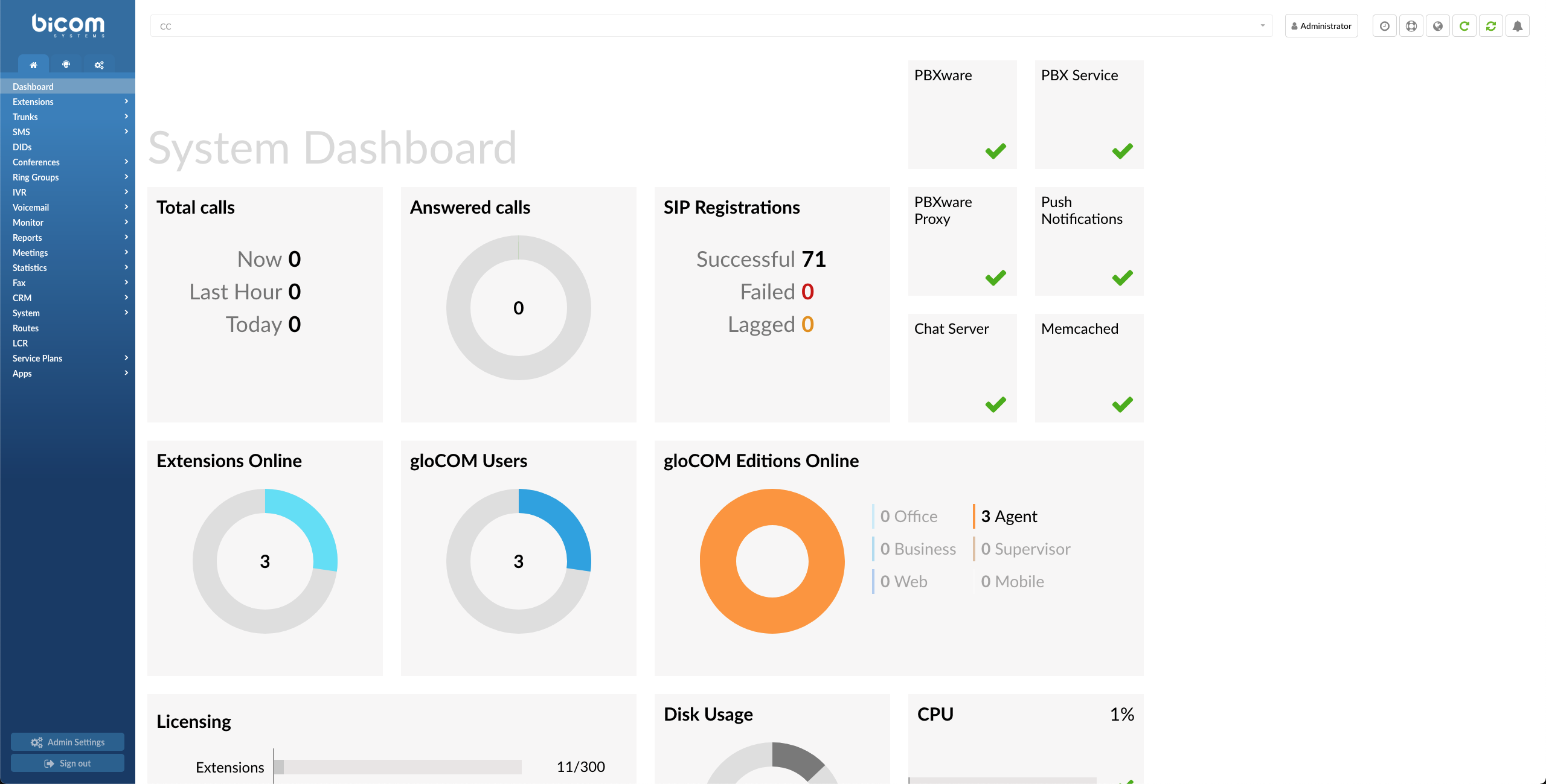
PBXware Contact Center Dashboard
The System Dashboard is a visual display of the most important indicators of the PBXware:
- Calls
- SIP Registrations
- Services
- Licencing
- Hardware Usage
- PBXware menu
The PBXware Contact Center menu is located on the left and displays all administration sections available, separated into three tabs:
- Home
- Contact Center
- Settings
The Log Out button and Admin Settings are at the bottom of the left navigation menu, which allows for modifying various system settings in PBXware.
- Action Menu

The action menu on the top right allows to:
- Change password
- Set 2-step verification
- Change language
- Reload PBXware
- Restart PBXware
Role Based Administration
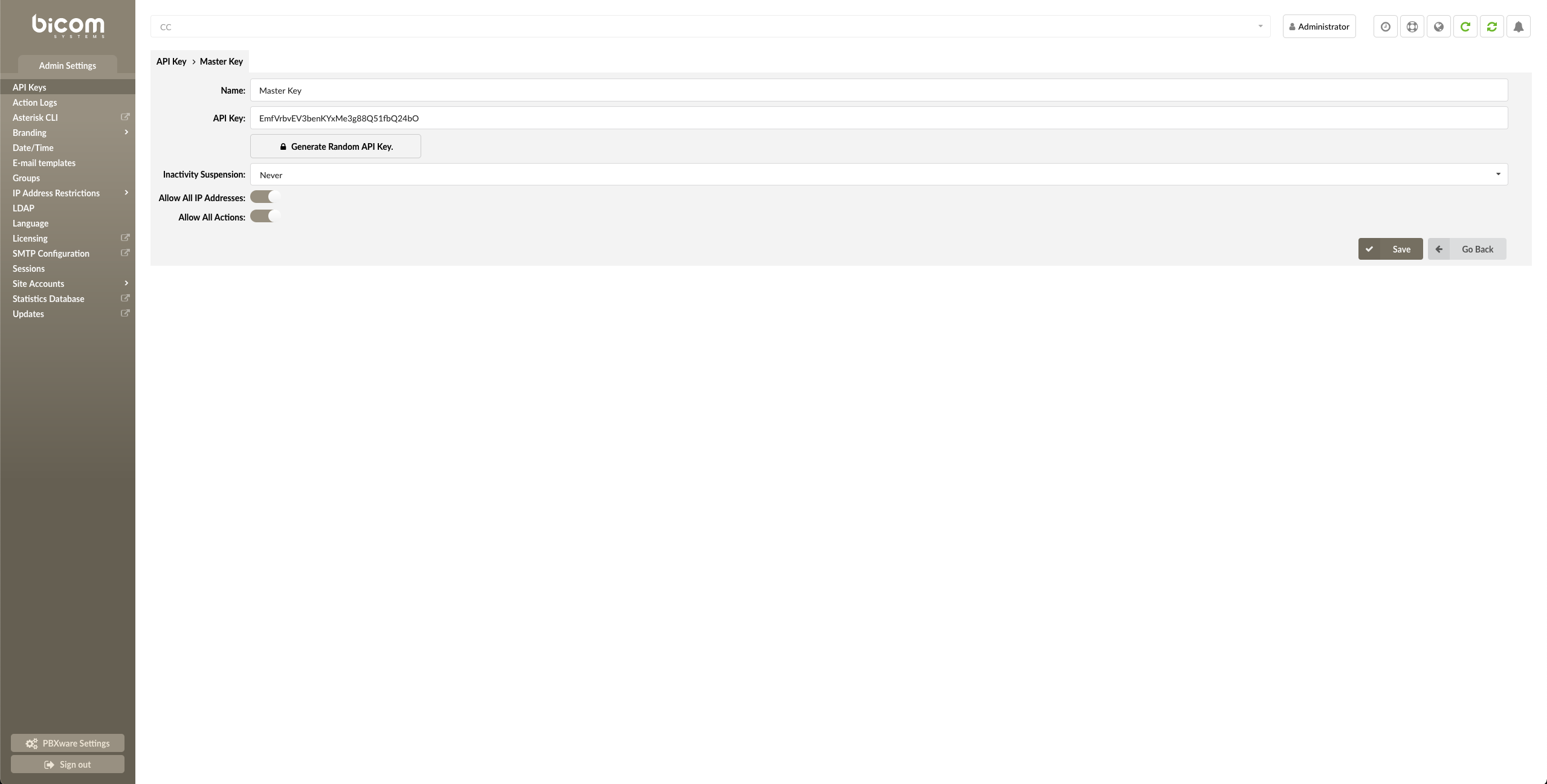
Role Based Administration
System administration can be delegated to various users to perform role-based administration. An unlimited number of users and groups can be created by the system administrator(s). Each user will only have access to the sections of PBXware menus according to the group membership permissions.
This is commonly used to allow the management, operators, and supervisors access to the sections of PBXware of which they have adequate knowledge and experience.
Standard and Advanced Options
PBXware was designed with simplicity and extensive configuration options as primary goals. The administration has standards and advanced modes throughout all sections to achieve both goals.
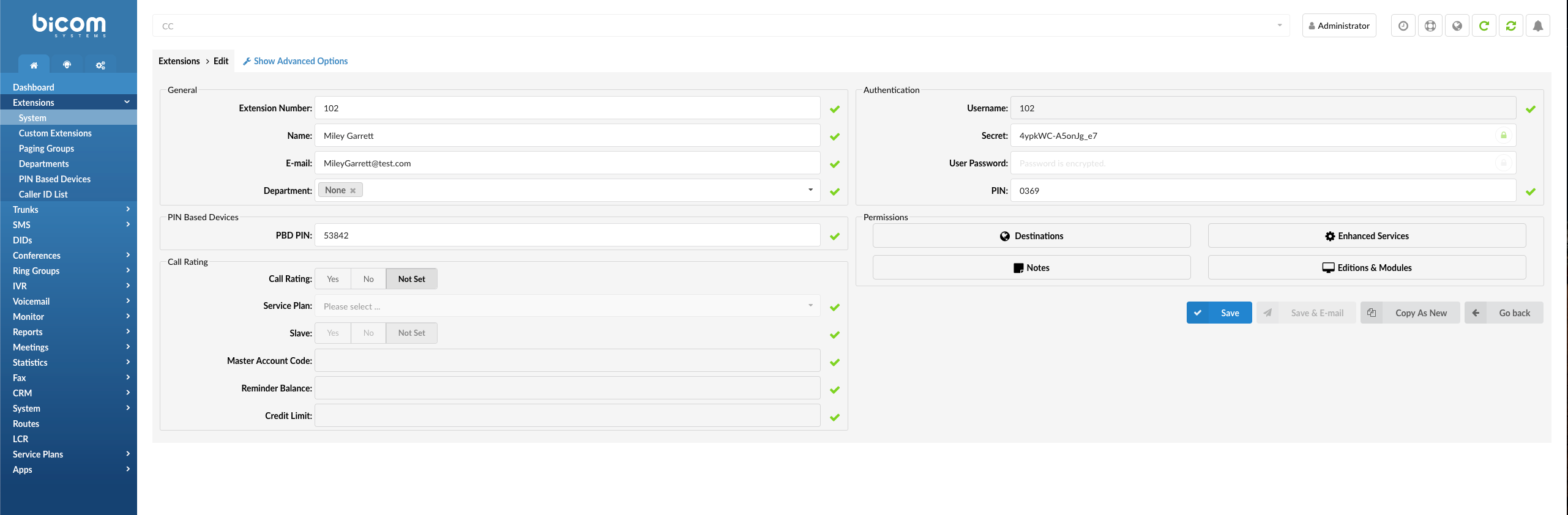
Standard Options
The standard mode is designed to allow an easy ‘no-brainer’ method of administration as the level of configuration knowledge needed is based on common fields of information (Name, email address, etc.). This is possible because PBXware uses a powerful template system that pre-configures all advanced options, leaving only common information values to be entered.
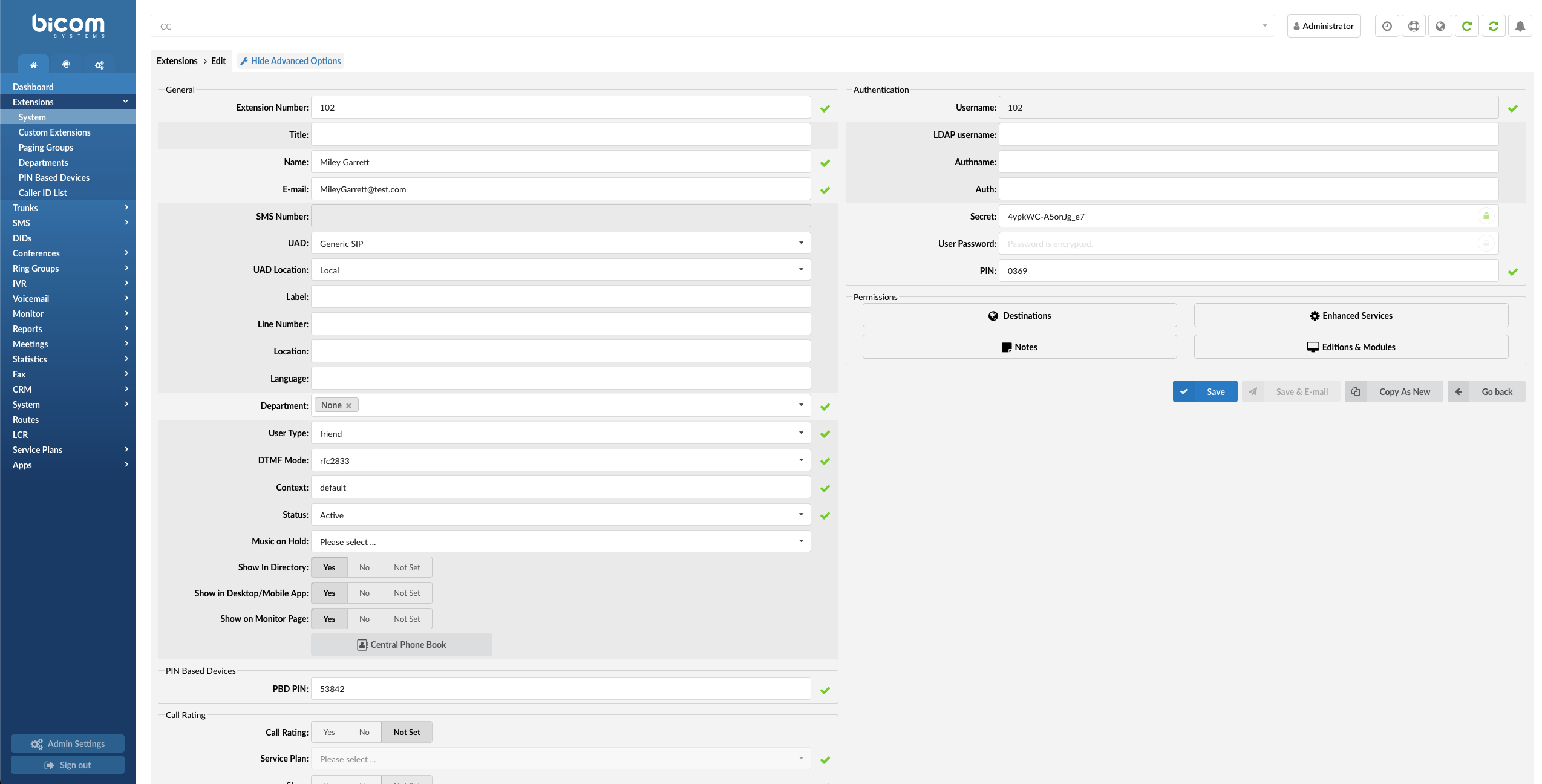
Advanced Options
On the other hand, the advanced mode requires much better system knowledge to fine-tune the system settings for various applications and usages. This manual provides detailed information on advanced options. However, administrators should remember that extensive training and hands-on experience are required to administer advanced sections effectively. For simplicity, any options available in the standard options section are not repeated under the advanced options.