

General information
In version v3.8.2 we introduced dynamic TFTP/HTTP provisioning.
Instead of writing configuration files to disk, files are now dynamically created by PBXware HTTP application and served to device when it sends a request to the server.
NOTE:
By default (with no username and password set) HTTP provisioning is disabled.
Setting HTTP Username and HTTP Password will automatically enable HTTP provisioning as well. Devices that do not support Digest HTTP authentication (username and password) cannot be auto-provisioned via HTTP, only via TFTP.
HTTP Username and HTTP Password are set under:
Settings -> Servers -> YourServerName (edit) -> Auto Provisioning (section) -> HTTP Username/HTTP Password
HTTP server
HTTP application is running under following location:
- MAC configuration requests
Some examples of requests:
http://ip-address/prov/mac.cfg
http://ip-address/prov/cfg.mac
http://ip-address/prov/phonemac.cfg
Check Filename in each device section.
- Filesystem files (firmwares etc)
- Custom config files
http://ip-address/prov/aastra.cfg
MAC configuration files
To get configuration, devices ask for files that contain its MAC address. This configuration requires username and password.
Testing with curl
In order to perform testing of auto provisioning and to verify validity of content, one needs to use curl or web browser.
More information about curl you can find here:
Here is an example of command:
curl -i -u user:pass –digest http://ip-address/prov/mac.cfg
Parameters:
-i
Include HTTP protocol in output
-u
Specify username:password for authentication
–digest
We support only digest HTTP authentication, therefore this is a mandatory parameter. If you do not specify it, curl will use Basic HTTP Authentication and it won’t work.
–user-agent
This is how you can send a different User-Agent string, if you want to test HTML/XML Directory pages.
For instance:
–user-agent “Yealink SIP-T38”
Testing in browser is advisable, if you want to test validity of large XML output. Devices that require XML configuration will be served with text/xml Content-Type and this will be understood by browsers. You will then know if XML document is valid or not.
Testing with wget
In case curl is not installed (this will most often be the case on VPSes), users can use wget to perform testing.
Example command:
wget -S -q http://username:password@ip-address/prov/mac.cfg -O-
Parameters:
-q
Turns off verbosity and progress bar from wget.
-S
Output should include HTTP headers.
–user
HTTP username, if not specified as part of the URL.
–password
HTTP password, if not specified as part of the URL.
-O-
Output to stdout instead of file.
-U=user-agent
Use it to set User-Agent.
For more options consult:
wget –help
in your PBXware shell.
Test HTTPS mode
HTTPS also works and will work on devices that support HTTPS. Some devices do not support self-signed certificate, therefore you will need to buy signed certificate.
curl command:
curl -i -u user:pass –digest –insecure https://ip-address/prov/mac.cfg
Additional options:
–insecure
This options accepts self-signed certificate as valid certificate.
HTTP response codes
Here is the list of HTTP response codes from HTTP service and its meaning:
401 Authentication Required
This header will appear when username and password is not supplied. This lets device know it has to send username and password in next request.
200 OK
should follow after this request, in all other cases provisioning failed.
403 Forbidden
This error will appear if you do not specify valid authentication information. It will also appear if tenant/server do not have HTTP username and password set.
404 Not Found
This error has multiple meanings but some are:
– MAC address doesn’t exist
– Device doesn’t exist or can’t be used for auto provisioning
– Device cannot handle HTML/XML Directory
– Custom route doesn’t exist
– File path is wrong
– File doesn’t exist
– Request can’t be handled
500 Internal Server Error
Something went horribly wrong. Usually some problematic SQL error. Please consult Bicom Systems support.
200 OK
This happens if all is good and content is delivered to device.
HTTP logs
You can watch all devices and requests with this command (for HTTP traffic)
cd /opt/pbxware tail -f pw/var/log/nginx/localhost.access_log
for HTTPS:
cd /opt/pbxware tail -f pw/var/log/nginx/localhost.ssl_access_log
Output example:
10.1.0.138 – – [23/Apr/2013:11:43:27 +0200] “GET /prov/_directory/001565267db9 HTTP/1.0” 200 2654 “-” “Yealink SIP-T38G 38.0.23.22 00:15:65:26:7d:b9” “-“
Important bits are:
GET filename
This is what devices asked for.
200 2654
200 OK was sent, Content-Legth was 2654.
Please note, if authentication is needed, correct sequence is 401, then 200 OK.
Yealink SIP-T38G 38.0.23.22
Device User-Agent.
Syslog
Some devices can send logs via syslog.
In order to setup syslog-ng on Gentoo as syslog host, do this:
Edit /etc/syslog-ng/syslog-ng.conf nano /etc/syslog-ng/syslog-ng.conf
and add these lines on bottom:
source net { udp(); }; destination remote { file(“/var/log/remote/$FULLHOST”); }; log { source(net); destination(remote); };
Create directory /var/log/remote/
mkdir /var/log/remote
Restart syslog-ng with:
/etc/init.d/syslog-ng restart
Yealink Information
Provisioning method
Either HTTP or TFTP.
HTTPS works with any certificate if “Only Accept Trusted Certificates” is Disabled.
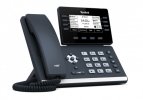
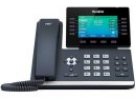
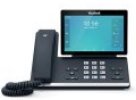
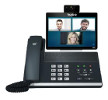
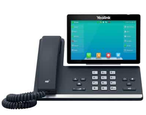
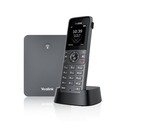
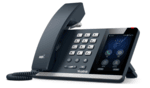
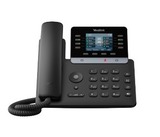
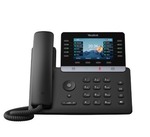
Yealink devices
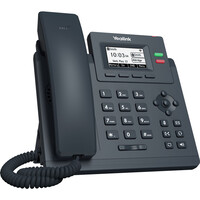
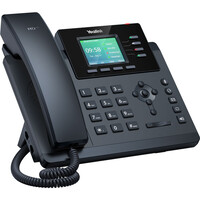
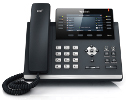
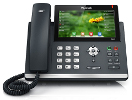
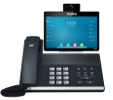
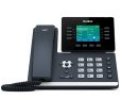
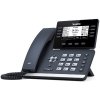
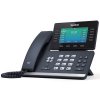
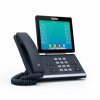
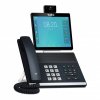
Filename
- MAC.cfg
File Format
- Format is different for T2xP and T3xP devices unless v.70 firmware is used.
Supported features
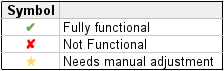
| Model | Firmware | Basic | Time/Date | HTTP Directory | LDAP Directory | Directory/BLF | UAD General Template | UAD Template (extension) | Preffered Codec | DHCP Settings | HTTP Provisioning | HTTPS Provisioning | Hot Desking |
|---|---|---|---|---|---|---|---|---|---|---|---|---|---|
| AX83H | 180.86.254.103 | ✔ | ✔ | ✔ | ✔ | ✘ | ✔ | ✔ | ✘ | ✘ | ✔ | ✔ | ✔ |
| AX86R | 180.87.254.3 | ✔ | ✔ | ✔ | ✔ | ✘ | ✔ | ✔ | ✘ | ✘ | ✔ | ✔ | ✔ |
| T18 | 18.0.23.5 | ✔ | ✘ | ✘ | ✘ | ✘ | ✘ | ✘ | ✘ | ✘ | ✔ | ✘ | ✔ |
| T19P | 53.84.0.15 | ✘ | ✔ | ||||||||||
| T20 | 9.61.23.9 | ✔ | ★ | ✘ | ✘ | ✔ | ✔ | ✔ | ✘ | ✘ | ✔ | ✔ | ✔ |
| T21PE2 | 52.84.0.15 | ✔ | ✔ | ✔ | ✘ | ✔ | ✔ | ✔ | ✘ | ✔ | ✔ | ✔ | ✔ |
| T22 | 7.73.0.50 | ✔ | ★ | ✔ | ✘ | N/A | ✔ | ✔ | ✘ | ✘ | ✔ | ✔ | ✔ |
| T23G | 44.84.0.15 | ✔ | ★ | ✔ | ✔ | ✔ | ✔ | ✔ | ✘ | ✘ | ✔ | ✔ | ✔ |
| T26 | 6.73.0.50 | ✔ | ★ | ✔ | ✘ | ✔ | ✔ | ✔ | ✘ | ✘ | ✔ | ★ | ✔ |
| T27P | 45.83.0.50 | ✔ | ★ | ✔ | ✔ | ✔ | ✔ | ✔ | ✘ | ✔ | ✔ | ✔ | ✔ |
| T27G | 69.84.0.15 | ✔ | ★ | ✔ | ✔ | ✔ | ✔ | ✔ | ✘ | ✔ | ✔ | ✔ | ✔ |
| T28 | 2.73.0.50 | ✔ | ★ | ✔ | ✘ | ✔ | ✔ | ✔ | ✘ | ✘ | ✔ | ✔ | ✔ |
| T29G | 46.83.0.50 | ✔ | ★ | ✔ | ✔ | ✔ | ✔ | ✔ | ✘ | ✔ | ✔ | ✔ | ✔ |
| T30 | 124.85.0.40 | ✔ | ✔ | ✔ | ✔ | ✘ | ✔ | ✔ | ✘ | ✔ | ✔ | ✔ | ✔ |
| T30P | 124.85.0.40 | ✔ | ✘ | ✔ | ✔ | ✘ | ✔ | ✔ | ✘ | ✔ | ✔ | ✔ | ✔ |
| T31 | 124.85.257.55 | ✔ | ✔ | ✔ | ✔ | ✔ | ✔ | ✔ | ✘ | ✔ | ✔ | ✔ | ✔ |
| T31P | 124.85.257.55 | ✔ | ✔ | ✔ | ✔ | ✔ | ✔ | ✔ | ✘ | ✔ | ✔ | ✔ | ✔ |
| T31G | 124.85.257.55 | ✔ | ✔ | ✔ | ✔ | ✔ | ✔ | ✔ | ✘ | ✔ | ✔ | ✔ | ✔ |
| T31W | 124.86.0.75 | ✔ | ✔ | ✔ | ✔ | ✔ | ✔ | ✔ | ✘ | ✔ | ✔ | ✔ | ✔ |
| T32 | 32.70.1.33 | ✔ | ★ | ✔ | ✘ | ✔ | ✔ | ✔ | ✘ | ✘ | ✔ | ✔ | ✔ |
| T33P | 124.85.257.55 | ✔ | ✔ | ✔ | ✔ | ✔ | ✔ | ✔ | ✘ | ✔ | ✔ | ✔ | ✔ |
| T33G | 124.85.257.55 | ✔ | ✔ | ✔ | ✔ | ✔ | ✔ | ✔ | ✘ | ✔ | ✔ | ✔ | ✔ |
| T34W | 124.86.0.75 | ✔ | ✔ | ✔ | ✔ | ✔ | ✔ | ✔ | ✘ | ✔ | ✔ | ✔ | ✔ |
| T38 | 38.70.0.185 | ✔ | ★ | ✔ | ✘ | ✔ | ✔ | ✔ | ✘ | ✘ | ✔ | ✔ | ✔ |
| T40G | 76.84.0.15 | ✔ | ★ | ✔ | ✔ | ✔ | ✔ | ✔ | ✘ | ✔ | ✔ | ✔ | ✔ |
| T41P | 36.83.0.50 | ✔ | ★ | ✔ | ✔ | ✔ | ✔ | ✔ | ✘ | ✔ | ✔ | ✔ | ✔ |
| T41S | 66.84.0.15 | ✔ | ★ | ✔ | ✔ | ✔ | ✔ | ✔ | ✘ | ✔ | ✔ | ✔ | ✔ |
| T42G | 29.83.0.50 | ✔ | ★ | ✔ | ✔ | ✔ | ✔ | ✔ | ✘ | ✔ | ✔ | ✔ | ✔ |
| T42S | 66.84.0.15 | ✔ | ★ | ✔ | ✔ | ✔ | ✔ | ✔ | ✘ | ✔ | ✔ | ✔ | ✔ |
| T41U | 108.84.0.30 | ✔ | ✔ | ✔ | ✔ | ✔ | ✔ | ✔ | ✘ | ✔ | ✔ | ✔ | ✔ |
| T42U | 108.84.0.30 | ✔ | ✔ | ✔ | ✔ | ✔ | ✔ | ✔ | ✘ | ✔ | ✔ | ✔ | ✔ |
| T43U | 108.84.0.30 | ✔ | ✔ | ✔ | ✔ | ✔ | ✔ | ✔ | ✘ | ✔ | ✔ | ✔ | ✔ |
| T46U | 108.84.0.30 | ✔ | ✔ | ✔ | ✔ | ✔ | ✔ | ✔ | ✘ | ✔ | ✔ | ✔ | ✔ |
| T48U | 108.84.0.30 | ✔ | ✔ | ✔ | ✔ | ✔ | ✔ | ✔ | ✘ | ✔ | ✔ | ✔ | ✔ |
| T46G | 28.83.0.50 | ✔ | ★ | ✔ | ✔ | ✔ | ✔ | ✔ | ✘ | ✔ | ✔ | ✔ | ✔ |
| T46S | 66.84.0.15 | ✔ | ★ | ✔ | ✔ | ✔ | ✔ | ✔ | ✘ | ✔ | ✔ | ✔ | ✔ |
| T48G | 35.83.0.50 | ✔ | ★ | ✔ | ✔ | ✔ | ✔ | ✔ | ✘ | ✔ | ✔ | ✔ | ✔ |
| T48S | 66.84.0.15 | ✔ | ★ | ✔ | ✔ | ✔ | ✔ | ✔ | ✘ | ✔ | ✔ | ✔ | ✔ |
| T49G | 51.80.0.100 | ✔ | ★ | ✔ | ✔ | ✔ | ✔ | ✔ | ✘ | ✔ | ✔ | ✔ | ✔ |
| T52S | 70.84.0.15 | ✔ | ★ | ✔ | ✔ | ✔ | ✔ | ✔ | ✘ | ✔ | ✔ | ✔ | ✔ |
| T53 | 95.84.0.30 | ✔ | ★ | ✔ | ✔ | ✔ | ✔ | ✔ | ✘ | ✔ | ✔ | ✔ | ✔ |
| T53W | 95.84.0.30 | ✔ | ★ | ✔ | ✔ | ✔ | ✔ | ✔ | ✘ | ✔ | ✔ | ✔ | ✔ |
| T54S | 70.84.0.15 | ✔ | ★ | ✔ | ✔ | ✔ | ✔ | ✔ | ✘ | ✔ | ✔ | ✔ | ✔ |
| T54W | 96.84.0.30 | ✔ | ★ | ✔ | ✔ | ✔ | ✔ | ✔ | ✘ | ✔ | ✔ | ✔ | ✔ |
| T56A | 58.83.0.15 | ✔ | ★ | ✔ | ✔ | ✔ | ✔ | ✔ | ✘ | ✔ | ✔ | ✔ | ✔ |
| T57W | 97.84.0.30 | ✔ | ★ | ✔ | ✔ | ✔ | ✔ | ✔ | ✘ | ✔ | ✔ | ✔ | ✔ |
| T58V | 58.80.0.10 | ✔ | ★ | ✔ | ✔ | ✔ | ✔ | ✔ | ✘ | ✔ | ✔ | ✔ | ✔ |
| T58W | 150.86.254.11 | ✔ | ★ | ✔ | ✔ | ✔ | ✔ | ✔ | ✘ | ✔ | ✔ | ✔ | ✔ |
| T64LTE | 132.86.0.35 | ✔ | ✔ | ✔ | ✔ | ✔ | ✔ | ✔ | ✘ | ✔ | ✔ | ✔ | ✔ |
| T67LTE | 132.86.0.35 | ✔ | ✔ | ✔ | ✔ | ✔ | ✔ | ✔ | ✘ | ✔ | ✔ | ✔ | ✔ |
| T73U | 185.87.0.15 | ✔ | ✔ | ✔ | ✔ | ✔ | ✔ | ✔ | ✘ | ✔ | ✔ | ✔ | ✔ |
| T73W | 185.87.0.15 | ✔ | ✔ | ✔ | ✔ | ✔ | ✔ | ✔ | ✘ | ✔ | ✔ | ✔ | ✔ |
| T74U | 185.87.0.15 | ✔ | ✔ | ✔ | ✔ | ✔ | ✔ | ✔ | ✘ | ✔ | ✔ | ✔ | ✔ |
| T74W | 185.87.0.15 | ✔ | ✔ | ✔ | ✔ | ✔ | ✔ | ✔ | ✘ | ✔ | ✔ | ✔ | ✔ |
| T77U | 185.87.0.15 | ✔ | ✔ | ✔ | ✔ | ✔ | ✔ | ✔ | ✘ | ✔ | ✔ | ✔ | ✔ |
| T85W | 185.87.0.15 | ✔ | ✔ | ✔ | ✔ | ✔ | ✔ | ✔ | ✘ | ✔ | ✔ | ✔ | ✔ |
| T87W | 185.87.0.15 | ✔ | ✔ | ✔ | ✔ | ✔ | ✔ | ✔ | ✘ | ✔ | ✔ | ✔ | ✔ |
| T88V | 192.87.0.4 | ✔ | ✔ | ✔ | ✔ | ✔ | ✔ | ✔ | ✘ | ✔ | ✔ | ✔ | ✔ |
| T88W | 192.87.0.4 | ✔ | ✔ | ✔ | ✔ | ✔ | ✔ | ✔ | ✘ | ✔ | ✔ | ✔ | ✔ |
| VP59 | 91.283.0.30 | ✔ | ★ | ✔ | ✔ | ✔ | ✔ | ✔ | ✘ | ✔ | ✔ | ✔ | ✔ |
| CP860 | 37.81.0.10 | ✔ | ★ | ✔ | ✔ | N/A | ✔ | ✔ | ✘ | ✔ | ✔ | ✔ | ✔ |
| CP920 | 78.81.0.15 | ✔ | ★ | ✔ | ✔ | N/A | ✔ | ✔ | ✘ | ✔ | ✔ | ✔ | ✔ |
| CP925 | 148.86.0.5 | ✔ | ★ | ✔ | ✔ | ✔ | ✔ | ✔ | ✘ | ✔ | ✔ | ✔ | ✔ |
| CP935W | 149.86.0.5 | ✔ | ★ | ✔ | ✔ | ✔ | ✔ | ✔ | ✘ | ✔ | ✔ | ✔ | ✔ |
| CP960 | 73.15.0.38 | ✔ | ★ | ✔ | ✔ | ✔ | ✔ | ✔ | ✘ | ✔ | ✔ | ✔ | ✔ |
| CP965 | 143.86.254.36 | ✔ | ★ | ✔ | ✔ | ✔ | ✔ | ✔ | ✘ | ✔ | ✔ | ✔ | ✔ |
| W52P | 25.81.0.30 | ✔ | ★ | ✔ | ✔ | N/A | ✔ | ✔ | ✘ | ✔ | ✔ | ✔ | ✔ |
| W56P | 25.81.0.30 | ✔ | ★ | ✔ | ✔ | N/A | ✔ | ✔ | ✘ | ✔ | ✔ | ✔ | ✔ |
| W60B | 77.83.0.25 | ✔ | ★ | ✔ | ✔ | N/A | ✔ | ✔ | ✘ | ✔ | ✔ | ✔ | ✔ |
| W70B | 146.85.0.20 | ✔ | ★ | ✔ | ✔ | N/A | ✔ | ✔ | ✘ | ✔ | ✔ | ✔ | ✔ |
| W80B | 103.83.0.30 | ✔ | ★ | ✔ | ✔ | N/A | ✔ | ✔ | ✘ | ✔ | ✔ | ✔ | ✔ |
| W90DM | 130.85.0.10 | ✔ | ✔ | ✔ | ✔ | ✘ | ✔ | ✔ | ✘ | ✔ | ✔ | ✔ | ✔ |
| T60P | ✘ | ||||||||||||
| T65P | ✘ |
Notes:
- DST is not supported
- Yealink T18 has auto provisioning bug. If provisioning server is assigned through Option 66, manually assigned provisioning server will not work unless phone is set to work with static IP address.
Firmware v70
Due to Yealink omission, we are not able to detect phone firmware version, when using TFTP. If you would like to auto provision Yealink phone with v70 firmware, please create file v70.txt in tftp directory, like this:
cd /opt/pbxware/pw/tftp touch v70.txt
If file v70.txt exists in /opt/pbxware/pw/tftp folder, all auto provisioning data for Yealink phones will be in v70 format, hence all phones should be on v70 or pre-v70 version. Mixing is not supported.
Known issues
Make sure you do factory reset after upgrade to latest V70 firmware. This is known to fix at least one problem – wrong User-Agent string for T46G device.
Wrong User-Agent:
- Yealink-T46G 28.71.0.85 28.1.0.128.0.0.0
Correct User-Agent:
- Yealink SIP-T46G 28.71.0.85 00:15:65:45:70:71
Problem with firmware older than 28.71.0.85 and T46G
Yealink T46G does not send User-Agent when requesting remote directory file, which is required due to security reasons, hence remote directory will not work. This issue has been fixed in 28.71.0.85 firmware.
Poly Information
Provisioning method
Both TFTP and HTTP are supported.
HTTPS should work but requires valid certificate signed by pre-installed Certificate Authority. It cannot be a wildcard certificate.
Poly devices
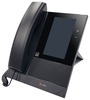
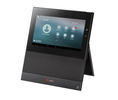
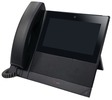
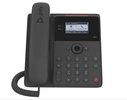
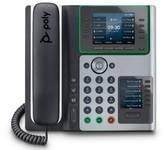
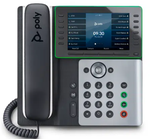
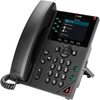
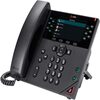
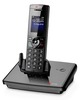
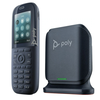
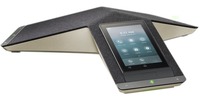
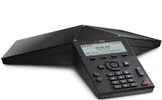
Filenames
- MAC.cfg
Asks for where config files are, where SIP firmware is.
- phoneMAC.cfg
Main configuration file.
- MAC-directory.cfg
BLF/Directory list.
Content Type
- XML format
Supported features
| Model | Firmware | Basic | Time/Date | HTTP Directory | LDAP Directory | Directory/BLF | UAD General Template | UAD Template (extension) | Preffered Codec | DHCP Settings | HTTP Provisioning | HTTPS Provisioning | Hot Desking |
|---|---|---|---|---|---|---|---|---|---|---|---|---|---|
| CCX400 | 7.3.2.0.182 | ✔ | ✔ | ✘ | ✔ | ✔ | ✔ | ✔ | ✔ | ✔ | ✔ | ✔ | ✔ |
| CCX505 | 9.1.0 | ✔ | ✔ | ✘ | ✔ | ✔ | ✔ | ✔ | ✔ | ✔ | ✔ | ✔ | ✔ |
| CCX600 | 7.3.2.0182 | ✔ | ✔ | ✘ | ✔ | ✔ | ✔ | ✔ | ✔ | ✔ | ✔ | ✔ | ✔ |
| CCX700 | 7.3.2.0.182 | ✔ | ✔ | ✘ | ✔ | ✔ | ✔ | ✔ | ✔ | ✔ | ✔ | ✔ | ✔ |
| Edge B10 | 1.1.0 | ✔ | ✔ | ✘ | ✘ | ✔ | ✔ | ✔ | ✔ | ✔ | ✔ | ✔ | ✔ |
| Edge B20 | 1.0.1 | ✔ | ✔ | ✘ | ✘ | ✔ | ✔ | ✔ | ✔ | ✔ | ✔ | ✔ | ✔ |
| Edge B30 | 1.0.1 | ✔ | ✔ | ✘ | ✘ | ✔ | ✔ | ✔ | ✔ | ✔ | ✔ | ✔ | ✔ |
| Edge E100 | 8.1.0.12774 | ✔ | ✔ | ✔ | ✔ | ✔ | ✔ | ✔ | ✔ | ✔ | ✔ | ✔ | ✔ |
| Edge E220 | 8.1.0.12774 | ✔ | ✔ | ✔ | ✔ | ✔ | ✔ | ✔ | ✔ | ✔ | ✔ | ✔ | ✔ |
| Edge E300 | 8.2.3 | ✔ | ✔ | ✔ | ✔ | ✔ | ✔ | ✔ | ✔ | ✔ | ✔ | ✔ | ✔ |
| Edge E320 | 8.1.0.12774 | ✔ | ✔ | ✔ | ✔ | ✔ | ✔ | ✔ | ✔ | ✔ | ✔ | ✔ | ✔ |
| Edge E400 | 8.1.0.12774 | ✔ | ✔ | ✔ | ✔ | ✔ | ✔ | ✔ | ✔ | ✔ | ✔ | ✔ | ✔ |
| Edge E500 | 8.1.0.12774 | ✔ | ✔ | ✔ | ✔ | ✔ | ✔ | ✔ | ✔ | ✔ | ✔ | ✔ | ✔ |
| Rove B2 | 8.0.2 | ✔ | ✔ | ✘ | ✘ | ✘ | ✔ | ✔ | ✔ | ✔ | ✔ | ✔ | ✘ |
| Rove B4 | 8.0.2 | ✔ | ✔ | ✘ | ✘ | ✘ | ✔ | ✔ | ✔ | ✔ | ✔ | ✔ | ✘ |
| Trio 8300 | 7.0.0.4265 | ✔ | ✔ | ✔ | ✔ | ✘ | ✔ | ✔ | ✔ | ✔ | ✔ | ✔ | ✔ |
| Trio C60 | 7.2.0.12361 | ✔ | ✔ | ✘ | ✔ | ✘ | ✔ | ✔ | ✔ | ✔ | ✔ | ✔ | ✔ |
| VVX150 | 6.4.7 | ✔ | ✔ | ✔ | ✔ | ✘ | ✔ | ✔ | ✔ | ✔ | ✔ | ✔ | ✔ |
| VVX250 | 6.4.7 | ✔ | ✔ | ✔ | ✔ | ✔ | ✔ | ✔ | ✔ | ✔ | ✔ | ✔ | ✔ |
| VVX350 | 6.4.3.5059 | ✔ | ✔ | ✘ | ✔ | ✔ | ✔ | ✔ | ✔ | ✔ | ✔ | ✔ | ✔ |
| VVX450 | 7.3.2.0.182 | ✔ | ✔ | ✘ | ✔ | ✔ | ✔ | ✔ | ✔ | ✔ | ✔ | ✔ | ✔ |
| VVX D230 | 7.1.2 | ✔ | ✔ | ✘ | ✘ | ✘ | ✔ | ✔ | ✔ | ✔ | ✔ | ✔ | ✘ |
General UAD config
NOTE: General UAD config must be valid XML for that particular firmware otherwise all configuration will fail.
PUT requests Poly phones will send PUT requests to server and these files can be saved on disk if upload mode is turned on.
What Poly phones like to send:
- Log files
- Configuration override files
- Configuration saved in web interface, set on phone.
- Directory
This is not supported, as it conflicts with Enhanced Services Directory. It is not safe to turn this feature on public internet. To turn it on, create upload directory:
cd /opt/pbxware/pw/tftp mkdir upload chown 101:1003 uploadIt is not required to have WebDAV enabled in nginx for above to work.
For information on how to prepare your PBXware for Poly/Polycom multiple firmware support please check our HowTo create Poly/Polcom Firmware Pack.
NOTE: If you are not sure how to create Poly/Polycom firmware package please contact our support and we will be glad to help you.
Polycom Information
Provisioning method
Both TFTP and HTTP are supported.
HTTPS should work but requires valid certificate signed by pre-installed Certificate Authority. It cannot be a wildcard certificate.
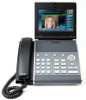
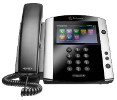
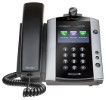
Polycom devices
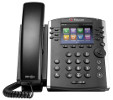
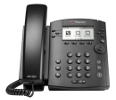
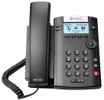
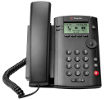
Filenames
- MAC.cfg
Asks for where config files are, where SIP firmware is.
- phoneMAC.cfg
Main configuration file.
- MAC-directory.cfg
BLF/Directory list.
Content Type
- XML format
Supported features
| Model | Firmware | Basic | Time/Date | HTTP Directory | LDAP Directory | Directory/BLF | UAD General Template | UAD Template (extension) | Preffered Codec | DHCP Settings | HTTP Provisioning | HTTPS Provisioning | Hot Desking |
|---|---|---|---|---|---|---|---|---|---|---|---|---|---|
| IP301 | 3.1.8 | ✔ | ✔ | ✘ | ✘ | ✔ | ✔ | ✘ | ✘ | ✘ | ✔ | ★ | |
| IP320 | ✘ | ||||||||||||
| IP321 | 4.0.3 | ✔ | ✔ | ✔ | ✘ | ✔ | ✔ | ✘ | ✘ | ✘ | ✔ | ★ | |
| IP330 | ✘ | ||||||||||||
| IP331 | 4.0.3 | ✔ | ✔ | ✔ | ✘ | ✔ | ✔ | ✘ | ✘ | ✘ | ✔ | ★ | |
| IP335 | 4.0.3 | ✔ | ✔ | ✔ | ✘ | ✔ | ✔ | ✘ | ✘ | ✘ | ✔ | ★ | |
| IP450 | 4.0.3 | ✔ | ✔ | ✔ | ✘ | ✔ | ✔ | ✘ | ✘ | ✘ | ✔ | ★ | |
| IP501 | ✘ | ||||||||||||
| IP550 | 4.0.3 | ✔ | ✔ | ✔ | ✘ | ✔ | ✔ | ✘ | ✘ | ✘ | ✔ | ★ | |
| IP560 | ✘ | ||||||||||||
| IP601 | 3.1.8 | ✔ | ✔ | ✔ | ✘ | ✔ | ✔ | ✘ | ✘ | ✘ | ✔ | ★ | |
| IP650 | 4.0.3 | ✔ | ✔ | ✔ | ✘ | ✔ | ✔ | ✘ | ✘ | ✘ | ✔ | ★ | |
| IP670 | ✘ | ||||||||||||
| IP5000 | ✘ | ||||||||||||
| VVX101 | 5.9.2 | ✔ | ★ | ✔ | ✔ | ✘ | ✔ | ✔ | ✔ | ✔ | ✔ | ★ | ✔ |
| VVX201 | 5.9.2 | ✔ | ★ | ✔ | ✔ | ✘ | ✔ | ✔ | ✔ | ✔ | ✔ | ★ | ✔ |
| VVX300 | 5.9.2 | ✔ | ★ | ✔ | ✔ | ✔ | ✔ | ✔ | ✔ | ✔ | ✔ | ★ | ✔ |
| VVX310 | 5.7.1 | ✔ | ★ | ✔ | ✔ | ✔ | ✔ | ✔ | ✔ | ✔ | ✔ | ★ | ✔ |
| VVX400 | 5.9.2 | ✔ | ★ | ✔ | ✔ | ✔ | ✔ | ✔ | ✔ | ✔ | ✔ | ★ | ✔ |
| VVX410 | 5.7.1 | ✔ | ★ | ✔ | ✔ | ✔ | ✔ | ✔ | ✔ | ✔ | ✔ | ★ | ✔ |
| VVX500 | 5.9.2 | ✔ | ★ | ✔ | ✔ | ✔ | ✔ | ✔ | ✔ | ✔ | ✔ | ★ | ✔ |
| VVX600 | 5.9.2 | ✔ | ★ | ✔ | ✔ | ✔ | ✔ | ✔ | ✔ | ✔ | ✔ | ★ | ✔ |
| VVX1500 | 5.7.1 | ✘ | ✔ | ||||||||||
| VVX150 | 6.1.0 | ✔ | ★ | ✔ | ✔ | ✔ | ✔ | ✔ | ✔ | ✔ | ✔ | ★ | ✔ |
| VVX250 | 6.1.0 | ✔ | ★ | ✔ | ✔ | ✔ | ✔ | ✔ | ✔ | ✔ | ✔ | ★ | ✔ |
| VVX350 | 6.1.0 | ✔ | ★ | ✔ | ✔ | ✔ | ✔ | ✔ | ✔ | ✔ | ✔ | ★ | ✔ |
| VVX450 | 6.1.0 | ✔ | ★ | ✔ | ✔ | ✔ | ✔ | ✔ | ✔ | ✔ | ✔ | ★ | ✔ |
| VVX411 | 6.1.0 | ✔ | ★ | ✔ | ✔ | ✔ | ✔ | ✔ | ✔ | ✔ | ✔ | ★ | ✔ |
| VVX501 | 6.1.0 | ✔ | ★ | ✔ | ✔ | ✔ | ✔ | ✔ | ✔ | ✔ | ✔ | ★ | ✔ |
| VVX601 | 6.1.0 | ✔ | ★ | ✔ | ✔ | ✔ | ✔ | ✔ | ✔ | ✔ | ✔ | ★ | ✔ |
| OBi2182 | 6.2.2 | ✔ | ★ | ✔ | ✘ | ✔ | ✔ | ✔ | ✔ | ✔ | ✔ | ★ | ✔ |
| VVX150 OBi Edition | 6.3.0.0 | ✔ | ★ | ✔ | ✘ | ✔ | ✔ | ✔ | ✔ | ✔ | ✔ | ★ | ✔ |
| VVX250 OBi Edition | 6.3.0.0 | ✔ | ★ | ✔ | ✘ | ✔ | ✔ | ✔ | ✔ | ✔ | ✔ | ★ | ✔ |
| VVX350 OBi Edition | 6.4.0.2 | ✔ | ★ | ✔ | ✘ | ✔ | ✔ | ✔ | ✔ | ✔ | ✔ | ★ | ✔ |
| VVX450 OBi Edition | 6.4.0.2 | ✔ | ★ | ✔ | ✘ | ✔ | ✔ | ✔ | ✔ | ✔ | ✔ | ★ | ✔ |
General UAD config
NOTE: General UAD config must be valid XML for that particular firmware otherwise all configuration will fail.
PUT requests Polycom phones will send PUT requests to server and these files can be saved on disk if upload mode is turned on.
What Polycom phones like to send:
- Log files
- Configuration override files
- Configuration saved in web interface, set on phone.
- Directory
This is not supported, as it conflicts with Enhanced Services Directory. It is not safe to turn this feature on public internet. To turn it on, create upload directory:
cd /opt/pbxware/pw/tftp mkdir upload chown 101:1003 upload
It is not required to have WebDAV enabled in nginx for above to work.
For information on how to prepare your PBXware for Polycom multiple firmware support please check our HowTo create Polycom Firmware Pack.
NOTE: If you are not sure how to create Polycom firmware package please contact our support and we will be glad to help you.
Cisco/Linksys Information
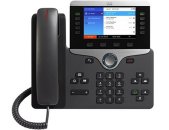
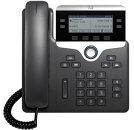
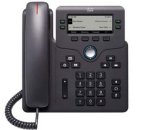
Filename:
- SIPmac.cnf
- spa.cfg
- mac.cfg
- SEPmac.cnf.xml
Supported features
| Model | Firmware | Basic | Time/Date | HTTP Directory | LDAP Directory | Directory/BLF | UAD General Template | UAD Template (extension) | Preffered Codec | DHCP Settings | HTTP Provisioning | HTTPS Provisioning | Hot Desking |
|---|---|---|---|---|---|---|---|---|---|---|---|---|---|
| ATA 191 | 11-2-4 | ✔ | N/A | ✘ | ✘ | ✘ | ✔ | ✔ | ✔ | ✔ | ✔ | ✘ | ✘ |
| ATA 192 | 11-2-4 | ✔ | N/A | ✘ | ✘ | ✘ | ✔ | ✔ | ✔ | ✔ | ✔ | ✘ | ✘ |
| 8841 | 11-3-3 | ✔ | ✔ | ✔ | ✔ | ✔ | ✔ | ✔ | ✔ | ✔ | ✔ | ✔ | ✔ |
| 8851 | 11-3-3 | ✔ | ✔ | ✔ | ✔ | ✔ | ✔ | ✔ | ✔ | ✔ | ✔ | ✔ | ✔ |
| 8865 | 11.2.3 | ✔ | ✔ | ✔ | ✔ | ✔ | ✔ | ✔ | ✔ | ✔ | ✔ | ✘ | ✔ |
| 7821 | 11.0.1 | ✔ | ✔ | ✔ | ✔ | N/A | ✔ | ✔ | ✔ | ✔ | ✔ | ✘ | ✔ |
| 6851 | 11.0.1 | ✔ | ✔ | ✔ | ✔ | ✔ | ✔ | ✔ | ✔ | ✔ | ✔ | ✘ | ✔ |
| 7940 | 8.12 | ✔ | ✘ | ✔ | ✘ | ✘ | ✘ | ✔ | ✘ | ✘ | ✘ | ✘ | ✔ |
| 7941 | 8.5.4 | ✔ | ✘ | ✔ | ✘ | ✘ | ★ | ✘ | ✘ | ✘ | ✘ | ✘ | ✔ |
| 7942 | ✘ | ||||||||||||
| 7945 | ✘ | ||||||||||||
| 7960 | 8.12 | ✔ | ✘ | ✔ | ✘ | ✘ | ✘ | ✔ | ✘ | ✘ | ✘ | ✘ | ✔ |
| 7961 | 8.5.4 | ✔ | ✘ | ✔ | ✘ | ✘ | ★ | ✘ | ✘ | ✘ | ✘ | ✘ | ✔ |
| 7962 | ✘ | ||||||||||||
| 7965 | ✘ | ||||||||||||
| 7971 | ✘ | ||||||||||||
| 7975 | ✘ | ||||||||||||
| SPA301G | 7.5.4 | ✔ | ✘ | ✘ | ✘ | ✘ | ✔ | ✘ | ✔ | ✔ | ✔ | ✘ | ✔ |
| SPA501G | 7.4.8a | ✔ | ✘ | ✘ | ✘ | ✔ | ✔ | ✘ | ✔ | ✔ | ✔ | ✘ | ✔ |
| SPA502G | 7.4.8a | ✔ | ✔ | ✔ | ✘ | ✔ | ✔ | ✔ | ✔ | ✔ | ✔ | ✘ | ✔ |
| SPA504G | ✘ | ||||||||||||
| SPA508G | 7.4.8a | ✔ | ✔ | ✔ | ✘ | ✔ | ✔ | ✘ | ✔ | ✔ | ✔ | ✘ | ✔ |
| SPA509G | 7.5.1a | ✔ | ✔ | ✔ | ✘ | ✔ | ✔ | ✔ | ✔ | ✔ | ✔ | ✘ | ✔ |
| SPA514G | 7.5.2 | ✔ | ✔ | ✔ | ✘ | ✔ | ✔ | ✔ | ✔ | ✔ | ✔ | ✘ | ✔ |
| SPA525G2 | 7.4.7 | ✔ | ✔ | ✔ | ✘ | ✔ | ✔ | ✘ | ✔ | ✔ | ✔ | ✘ | ✔ |
| SPA901 | ✘ | ||||||||||||
| SPA941 | 5.1.8 | ✔ | ✔ | ✘ | ✘ | ✔ | ✔ | ✘ | ✔ | ✔ | ✔ | ✘ | |
| SPA942 | ✘ | ||||||||||||
| SPA962 | 6.1.5 | ✔ | ✔ | ✘ | ✘ | ✔ | ✔ | ✘ | ✔ | ✔ | ✘ | ✘ | |
| SPA112 | 1.4.1 | ✔ | N/A | N/A | ✘ | N/A | ✔ | ✘ | ✔ | ✔ | ✔ | ✘ | |
| PAP2 | 5.1.6 | ✔ | N/A | N/A | ✘ | N/A | ✔ | ✘ | ✔ | ✔ | ✘ | ✘ | |
| SPA8000 | ✘ |
Cisco 79X1 have very complicated XML output.
It is possible to provide default XML template for each device by creating template in:
/tftp/SEP_Default.xml /tftp/SEP_Device_7941.xml Template is attached in the document.
Documentation: http://www.voip-info.org/wiki/view/Asterisk+phone+cisco+79×1+xml+configuration+files+for+SIP
Firmware: http://software.cisco.com/download/navigator.html?mdfid=269065653&flowid=5255 (requires Cisco login)
Asterisk NAT
Make sure nat=no is set in sip.conf, otherwise nothing will work.
WARNING: Cisco 79xx devices, other than 7940 and 7960, will not be able to work if PBXware is not in the same LAN.
These devices send UDP SIP requests from a high source port but expect a reply on port 5060. Because of this behavior and the way NAT works, phones will always receive response on the port their UDP SIP request was sent from and will not be able to register. Even if devices are in the same LAN, customers will have to manually set option NAT to No on PBXware, in Extensions -> Edit EXT -> Network Related section, in order for Cisco 79xx devices to successfully register.
Grandstream Information
Provisioning method
HTTPS, HTTP & TFTP.
Some Grandstream devices support HTTP, but Basic authentication only.
Grandstream devices
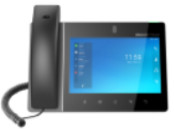
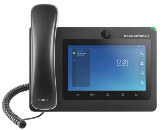
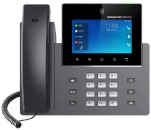
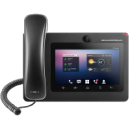
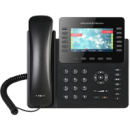
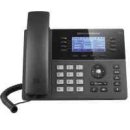
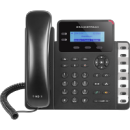
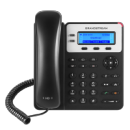
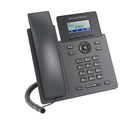
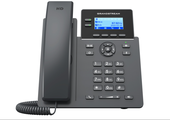
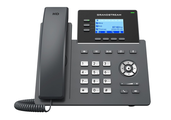
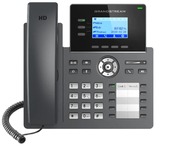
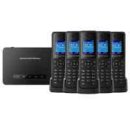
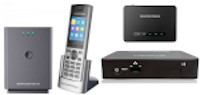
Filename
- cfgMAC
File Format Format is binary and is not really human-readable. It consists of PXX=value fields.
You can pipe output to following command:
curl … | hexdump -C -v
Supported features
| Model | Firmware | Basic | Time/Date | HTTP Directory | LDAP Directory | Directory/BLF | UAD General Template | UAD Template (extension) | Preffered Codec | DHCP Settings | HTTP Provisioning | HTTPS Provisioning | Hot Desking |
|---|---|---|---|---|---|---|---|---|---|---|---|---|---|
| GXP2000 | 1.2.5.3 | ✔ | ✔ | ✘ | ✘ | ✘ | ✘ | ✔ | ✔ | ✔ | ✘ | ✘ | ✘ |
| GXP2124 | |||||||||||||
| GXP2160 | ✔ | ✔ | ✘ | ✔ | ✘ | ✔ | ✔ | ✔ | ✔ | ✔ | ✘ | ✘ | |
| DP750 | 1.0.3.23 | ✔ | ✘ | N/A | ✔ | N/A | ✔ | ✔ | ✔ | ✔ | ✔ | ✔ | ✘ |
| DP752 | 1.0.13.0 | ✔ | ✔ | N/A | ✔ | N/A | ✔ | ✔ | ✔ | ✔ | ✔ | ✔ | ✘ |
| GXP1615 | 1.0.4.152 | ✔ | ✔ | ✔ | ✔ | N/A | ✔ | ✔ | ✔ | ✔ | ✔ | ✔ | ✘ |
| GXP1625 | 1.0.4.82 | ✔ | ✔ | ✔ | ✔ | N/A | ✔ | ✔ | ✔ | ✔ | ✔ | ✔ | ✔ |
| GXP1628 | 1.0.4.82 | ✔ | ✔ | ✔ | ✔ | ✔ | ✔ | ✔ | ✔ | ✔ | ✔ | ✔ | ✔ |
| GXP1630 | 1.0.4.67 | ✔ | ✔ | ✔ | ✔ | ✔ | ✔ | ✔ | ✔ | ✔ | ✔ | ✔ | ✔ |
| GXP1760w | 1.0.1.98 | ✔ | ✔ | ✔ | ✔ | ✔ | ✔ | ✔ | ✔ | ✔ | ✔ | ✔ | ✘ |
| GXP1782 | 1.0.1.8 | ✔ | ✔ | ✔ | ✔ | ✔ | ✔ | ✔ | ✔ | ✔ | ✔ | ✔ | ✔ |
| GXP2130 | 1.0.9.69 | ✔ | ✔ | ✔ | ✔ | ✔ | ✔ | ✔ | ✔ | ✔ | ✔ | ✔ | ✘ |
| GXP2135 | 1.0.9.108 | ✔ | ✔ | ✔ | ✔ | ✔ | ✔ | ✔ | ✔ | ✔ | ✔ | ✔ | ✘ |
| GXP2140 | 1.0.11.3 | ✔ | ✔ | ✔ | ✔ | ✔ | ✔ | ✔ | ✔ | ✔ | ✔ | ✔ | ✘ |
| GXP2170 | 1.0.8.53 | ✔ | ✔ | ✔ | ✔ | ✔ | ✔ | ✔ | ✔ | ✔ | ✔ | ✔ | ✔ |
| GRP2601P | 1.0.3.42 | ✔ | ✔ | ✔ | ✔ | ✔ | ✔ | ✔ | ✔ | ✔ | ✔ | ✔ | ✔ |
| GRP2602P | 1.0.3.42 | ✔ | ✔ | ✔ | ✔ | ✔ | ✔ | ✔ | ✔ | ✔ | ✔ | ✔ | ✔ |
| GRP2603P | 1.0.3.42 | ✔ | ✔ | ✔ | ✔ | ✔ | ✔ | ✔ | ✔ | ✔ | ✔ | ✔ | ✔ |
| GRP2604P | 1.0.3.83 | ✔ | ✔ | ✔ | ✔ | ✔ | ✔ | ✔ | ✔ | ✔ | ✔ | ✔ | ✔ |
| GRP2612 | 1.0.1.7 | ✔ | ✔ | ✔ | ✔ | ✔ | ✔ | ✔ | ✔ | ✔ | ✔ | ✔ | ✔ |
| GRP2613 | 1.0.1.23 | ✔ | ✔ | ✔ | ✔ | ✔ | ✔ | ✔ | ✔ | ✔ | ✔ | ✔ | ✔ |
| GRP2614 | 1.0.1.23 | ✔ | ✔ | ✔ | ✔ | ✔ | ✔ | ✔ | ✔ | ✔ | ✔ | ✔ | ✔ |
| GRP2615 | 1.0.1.23 | ✔ | ✔ | ✔ | ✔ | ✔ | ✔ | ✔ | ✔ | ✔ | ✔ | ✔ | ✔ |
| GRP2616 | 1.0.1.23 | ✔ | ✔ | ✔ | ✔ | ✔ | ✔ | ✔ | ✔ | ✔ | ✔ | ✔ | ✔ |
| GXV3240 | 1.0.3.277 | ✔ | ✔ | ✔ | ✔ | ✔ | ✔ | ✔ | ✔ | ✔ | ✔ | ✘ | ✘ |
| GXV3275 | 1.0.3.177 | ✔ | ✔ | ✔ | ✔ | ✔ | ✔ | ✔ | ✔ | ✔ | ✔ | ✔ | ✘ |
| GXV3350 | 1.0.3.13 | ✔ | ✔ | ✔ | ✔ | ✔ | ✔ | ✔ | ✔ | ✔ | ✔ | ✔ | ✘ |
| GXV3370 | 1.0.3.8 | ✔ | ✔ | ✔ | ✔ | ✔ | ✔ | ✔ | ✔ | ✔ | ✔ | ✔ | ✘ |
| GXV3380 | 1.0.1.19 | ✔ | ✔ | ✔ | ✔ | ✔ | ✔ | ✔ | ✔ | ✔ | ✔ | ✔ | ✘ |
| HT286 | 1.1.0.45 | ✔ | ✘ | ✘ | ✘ | ✘ | ✘ | ✔ | ✔ | ✔ | ✘ | ✘ | ✘ |
| HT386 | 1.0.3.96 | ✔ | ✘ | ✘ | ✘ | ✘ | ✘ | ✔ | ✔ | ✔ | ✘ | ✘ | ✘ |
| HT486 | 1.1.0.45 | ✔ | ✘ | ✘ | ✘ | ✘ | ✘ | ✔ | ✔ | ✔ | ✘ | ✘ | ✘ |
| HT488 | 1.0.3.96 | ✔ | ✘ | ✘ | ✘ | ✘ | ✘ | ✔ | ✔ | ✔ | ✘ | ✘ | ✘ |
| HT496 | 1.0.3.96 | ✔ | ✘ | ✘ | ✘ | ✘ | ✘ | ✔ | ✔ | ✔ | ✘ | ✘ | ✘ |
| HT502 | 1.0.9.1 | ✔ | ✘ | ✘ | ✘ | ✘ | ✘ | ✔ | ✔ | ✔ | ✘ | ✘ | ✘ |
| HT503 | 1.0.9.1 | ✔ | ✘ | ✘ | ✘ | ✘ | ✘ | ✔ | ✔ | ✔ | ✘ | ✘ | ✘ |
| HT701 | 1.0.4.8 | ✔ | ✘ | ✘ | ✘ | ✘ | ✘ | ✔ | ✔ | ✔ | ✘ | ✘ | ✘ |
| HT702 | |||||||||||||
| HT704 | |||||||||||||
| HT802 | 1.0.17.5 | ✔ | N/A | N/A | N/A | ✔ | ✔ | ✔ | ✔ | ✔ | ✔ | ✔ | ✘ |
| HT812 | 1.0.57.1 | ✔ | N/A | N/A | N/A | ✘ | ✔ | ✔ | ✔ | ✔ | ✔ | ✘ | ✘ |
| HT814 | 1.0.3.2 | ✔ | N/A | N/A | N/A | ✔ | ✔ | ✔ | ✔ | ✔ | ✔ | ✘ | ✘ |
| HT818 | 1.0.17.5 | ✔ | N/A | N/A | N/A | ✔ | ✔ | ✔ | ✔ | ✔ | ✔ | ✘ | ✘ |
| WP820 | 1.0.7.83 | ✔ | ✔ | ✔ | ✔ | ✘ | ✔ | ✔ | ✔ | ✔ | ✔ | ✘ | ✘ |
Obihai Information
Provisioning Method
TFTP & HTTP
Obihai devices
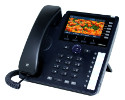
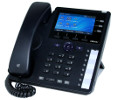
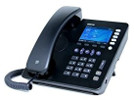
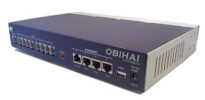
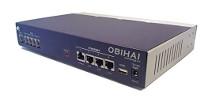
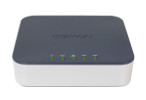
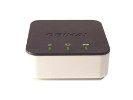
Filenames:
Main configuration file:
- mac.xml
BLF/Directory list:
- mac.xml
Supported features
| Model | Firmware | Basic | Time/Date | HTTP Directory | Directory/BLF | UAD General Template | UAD Template (extension) | Preffered Codec | DHCP Settings | HTTP Provisioning | HTTPS Provisioning | Hot Desking |
|---|---|---|---|---|---|---|---|---|---|---|---|---|
| OBi1022 | 5.0.0 | ✔ | ✔ | ✔ | ✔ | ✔ | ✔ | ✔ | ✔ | ✔ | ✘ | ✘ |
| OBi1032 | 5.0.0 | ✔ | ✔ | ✔ | ✔ | ✔ | ✔ | ✔ | ✔ | ✔ | ✘ | ✘ |
| OBi1062 | 5.0.0 | ✔ | ✔ | ✔ | ✔ | ✔ | ✔ | ✔ | ✔ | ✔ | ✘ | ✘ |
| 110 | ||||||||||||
| 202 | ||||||||||||
| 300 | 3.1.1 | ✔ | N/A | N/A | N/A | ✔ | ✔ | ✔ | N/A | N/A | ✔ | ✘ |
| 302 | 3.1.1 | ✔ | N/A | N/A | N/A | ✔ | ✔ | ✔ | N/A | ✔ | ✔ | ✘ |
| 504 | 4.0.1 | ✔ | N/A | N/A | N/A | ✔ | ✔ | ✔ | N/A | ✔ | ✔ | ✘ |
| 508 | 4.0.1 | ✔ | N/A | N/A | N/A | ✔ | ✔ | ✔ | N/A | ✔ | ✔ | ✘ |
VTech Information
Provisioning Method
TFTP
VTech devices
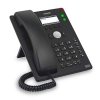
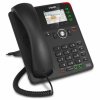
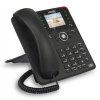
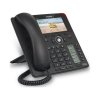
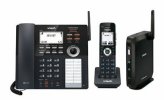
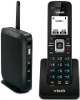
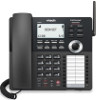
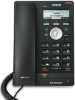
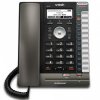
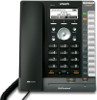
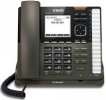
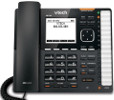
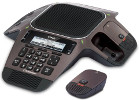
Filenames:
Main configuration file
- xxx_mac.cfg (xxx = phone model)
BLF/Directory list
- mac.xml
File Format:
Supported features
| Model | Firmware | Basic | Time/Date | HTTP Directory | Directory/BLF | UAD General Template | UAD Template (extension) | Preffered Codec | DHCP Settings | HTTP Provisioning | HTTPS Provisioning | Hot Desking |
|---|---|---|---|---|---|---|---|---|---|---|---|---|
| ET605 | 8.10.2.62 | ✔ | ✔ | N/A | N/A | ✔ | ✔ | ✘ | ✔ | ✔ | ✘ | ✘ |
| ET617 | 8.10.1.34 | ✔ | ✔ | N/A | ✔ | ✔ | ✔ | ✘ | ✔ | ✔ | ✘ | ✘ |
| ET635 | 8.10.1.35 | ✔ | ✔ | N/A | ✔ | ✔ | ✔ | ✘ | ✔ | ✔ | ✘ | ✘ |
| ET685 | 8.10.2.62 | ✔ | ✔ | N/A | ✔ | ✔ | ✔ | ✘ | ✔ | ✔ | ✘ | ✘ |
| VDP650 | 1.0.0.7 | ✔ | ✔ | N/A | N/A | ✔ | ✔ | ✘ | ✔ | ✔ | ✘ | ✘ |
| VSP600 | 1.1.4.1 | ✔ | ✔ | N/A | N/A | ✔ | ✔ | ✔ | ✔ | ✘ | ✘ | ✘ |
| VSP715 | 1.1.4.0 | ✔ | ✔ | N/A | N/A | ✔ | ✔ | ✔ | ✔ | ✘ | ✘ | ✘ |
| VSP716A | 2.0.5.1 | ✔ | ✔ | ✔ | N/A | ✔ | ✔ | ✔ | ✔ | ✔ | ✘ | ✘ |
| VSP725 | 1.1.4.0 | ✔ | ✔ | ✔ | ✔ | ✔ | ✔ | ✔ | ✔ | ✘ | ✘ | ✘ |
| VSP726 | 2.0.3.2 | ✔ | ✔ | ✔ | ✔ | ✔ | ✔ | ✔ | ✔ | ✘ | ✘ | ✘ |
| VSP726A | 2.0.5.1 | ✔ | ✔ | ✔ | ✔ | ✔ | ✔ | ✔ | ✔ | ✔ | ✘ | ✘ |
| VSP735 | 1.1.4.0 | ✔ | ✔ | ✔ | ✔ | ✔ | ✔ | ✔ | ✔ | ✘ | ✘ | ✘ |
| VSP736 | 2.0.3.2 | ✔ | ✔ | ✔ | ✔ | ✔ | ✔ | ✔ | ✔ | ✘ | ✘ | ✘ |
| VSP736A | 2.0.5.1 | ✔ | ✔ | ✔ | ✔ | ✔ | ✔ | ✔ | ✔ | ✔ | ✘ | ✘ |
| VCS754 | 1.1.4.0 | ✔ | ✔ | N/A | N/A | ✔ | ✔ | ✔ | ✔ | ✘ | ✘ | ✘ |
HTek Information
Provisioning Method
HTTP or TFTP
Htek devices
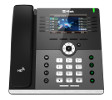
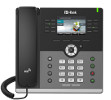
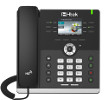
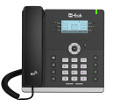
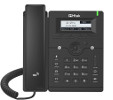
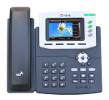
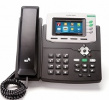
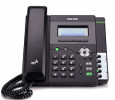
Filenames:
Main configuration file:
- cfgMAC
Supported features
| Model | Firmware | Basic | Time/Date | HTTP Directory | Directory/BLF | UAD General Template | UAD Template (extension) | Preffered Codec | DHCP Settings | HTTP Provisioning | HTTPS Provisioning | Hot Desking |
|---|---|---|---|---|---|---|---|---|---|---|---|---|
| UC862 | ✔ | ✘ | ✘ | ✔ | ✘ | ✔ | ✔ | ✘ | ✘ | ✘ | ✔ | |
| UC802 | ✔ | ✘ | ✘ | ✔ | ✘ | ✔ | ✔ | ✘ | ✘ | ✘ | ✔ | |
| UC803 | ✔ | ✘ | ✘ | ✔ | ✘ | ✔ | ✔ | ✘ | ✘ | ✘ | ✔ | |
| UC804 | ✔ | ✘ | ✘ | ✘ | ✘ | ✔ | ✔ | ✘ | ✘ | ✘ | ✔ | |
| UC806 | ✔ | ✘ | ✘ | ✘ | ✘ | ✔ | ✔ | ✘ | ✘ | ✘ | ✔ | |
| UC840 | ✔ | ✘ | ✘ | ✘ | ✘ | ✔ | ✔ | ✘ | ✘ | ✘ | ✔ | |
| UC842 | ✔ | ✘ | ✘ | ✘ | ✘ | ✔ | ✔ | ✘ | ✘ | ✘ | ✔ | |
| UC860 | ✔ | ✘ | ✘ | ✘ | ✘ | ✔ | ✔ | ✘ | ✘ | ✘ | ✔ | |
| UC902P | 2.0.4.4.25 | ✔ | ✔ | ✔ | ✔ | ✔ | ✔ | ✔ | ✔ | ✔ | ✘ | ✔ |
| UC903 | 2.0.4.4.25 | ✔ | ✔ | ✔ | ✔ | ✔ | ✔ | ✔ | ✔ | ✔ | ✘ | ✔ |
| UC912P | 2.0.4.4.33 | ✔ | ✔ | ✔ | ✔ | ✔ | ✔ | ✔ | ✔ | ✔ | ✘ | ✔ |
| UC912G | 2.0.4.4.33 | ✔ | ✔ | ✔ | ✔ | ✔ | ✔ | ✔ | ✔ | ✔ | ✘ | ✔ |
| UC923 | 2.0.4.4.25 | ✔ | ✔ | ✔ | ✔ | ✔ | ✔ | ✔ | ✔ | ✔ | ✘ | ✔ |
| UC924 | 2.0.4.4.25 | ✔ | ✔ | ✔ | ✔ | ✔ | ✔ | ✔ | ✔ | ✔ | ✘ | ✔ |
| UC924E | 2.0.4.4.33 | ✔ | ✔ | ✔ | ✔ | ✔ | ✔ | ✔ | ✔ | ✔ | ✘ | ✔ |
| UC926 | 2.0.4.4.25 | ✔ | ✔ | ✔ | ✔ | ✔ | ✔ | ✔ | ✔ | ✔ | ✘ | ✔ |
| UC926E | 2.0.4.4.33 | ✔ | ✔ | ✔ | ✔ | ✔ | ✔ | ✔ | ✔ | ✔ | ✘ | ✔ |
| UCV50 | 5.42.1.7.1.63R4 | ✔ | ✔ | ✔ | ✔ | ✔ | ✔ | ✔ | ✔ | ✔ | ✔ | ✔ |
| UCV53 | 5.42.1.7.2.2A10 | ✔ | ✔ | ✔ | ✔ | ✔ | ✔ | ✔ | ✔ | ✔ | ✔ | ✔ |
Denwa Information
Provisioning Method
HTTPS, HTTP or TFTP
Denwa devices
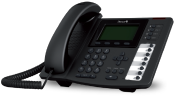

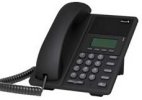
Filenames:
Main configuration file:
Supported features
| Model | Firmware | Basic | Time/Date | HTTP Directory | Directory/BLF | UAD General Template | UAD Template (extension) | Preffered Codec | DHCP Settings | HTTP Provisioning | HTTPS Provisioning | Hot Desking |
|---|---|---|---|---|---|---|---|---|---|---|---|---|
| DW-210P | ✔ | ✔ | ✔ | ✔ | ✔ | ✔ | ✘ | |||||
| DW-310P | ✔ | ✔ | ✔ | ✔ | ✔ | ✔ | ✘ | |||||
| DW-610P | ✔ | ✔ | ✔ | ✔ | ✔ | ✔ | ✘ |
Mitel Information
Provisioning method
TFTP only, HTTP not possible as Mitel devices does not support username and password.
Mitel devices
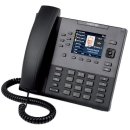
Filenames:
- aastra.cfg
- mac-directory.csv
Directory list in CSV format.
Supported features
| Model | Firmware | Basic | Time/Date | HTTP Directory | Directory/BLF | UAD General Template | UAD Template (extension) | Preffered Codec | DHCP Settings | HTTP Provisioning | HTTPS Provisioning | Hot Desking |
|---|---|---|---|---|---|---|---|---|---|---|---|---|
| 6867i | 4.3.0.2036 | ✔ | ✔ | ✘ | ✔ | ✔ | ✔ | ✘ | ✔ | ✘ | ✘ | ✘ |
Gigaset Information
Provisioning method
HTTP only
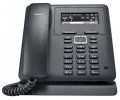
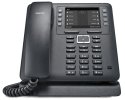
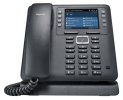
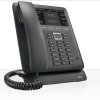
Gigaset devices
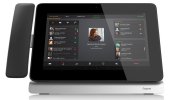
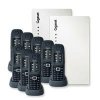
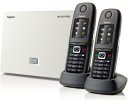
Filenames:
- MAC
Supported features
| Model | Firmware | Basic | Time/Date | HTTP Directory | Directory/BLF | UAD General Template | UAD Template (extension) | Preffered Codec | DHCP Settings | HTTP Provisioning | HTTPS Provisioning | Hot Desking |
|---|---|---|---|---|---|---|---|---|---|---|---|---|
| N510 | 42.247 | ✔ | ✔ | ✔ | ✘ | ✔ | ✔ | ✔ | ✔ | ✔ | ✘ | ✘ |
| N610 | 2.53.0 | ✔ | ✔ | ✘ | ✘ | ✔ | ✔ | ✔ | ✔ | ✔ | ✔ | ✘ |
| N670 | 2.53.0 | ✔ | ✔ | ✘ | ✘ | ✔ | ✔ | ✔ | ✔ | ✔ | ✔ | ✘ |
| N720 | 70.110.00.000.00 | ✔ | ✔ | ✘ | ✘ | ✔ | ✔ | ✔ | ✔ | ✔ | ✘ | ✘ |
| N870 | 2.26.0 | ✔ | ✔ | ✘ | ✘ | ✔ | ✔ | ✔ | ✔ | ✔ | ✘ | ✘ |
| Maxwell Basic | 2.22.7 | ✔ | ✔ | ✘ | ✘ | ✔ | ✔ | ✔ | ✔ | ✔ | ✘ | ✔ |
| Maxwell 2 | 2.22.7 | ✔ | ✔ | ✘ | ✔ | ✔ | ✔ | ✔ | ✔ | ✔ | ✘ | ✔ |
| Maxwell 3 | 2.22.7 | ✔ | ✔ | ✘ | ✔ | ✔ | ✔ | ✔ | ✔ | ✔ | ✘ | ✔ |
| Maxwell 4 | 3.13.13 | ✔ | ✔ | ✘ | ✔ | ✔ | ✔ | ✔ | ✔ | ✔ | ✘ | ✔ |
| Maxwell 10 | 5.1.1-195 | ✔ | ✔ | ✘ | ✔ | ✔ | ✔ | ✔ | ✘ | ✔ | ✘ | ✘ |
Snom Information
Provisioning Method
HTTPS, HTTP & TFTP
Snom devices


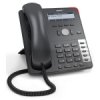
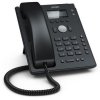

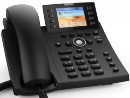
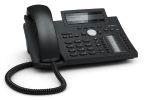
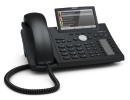
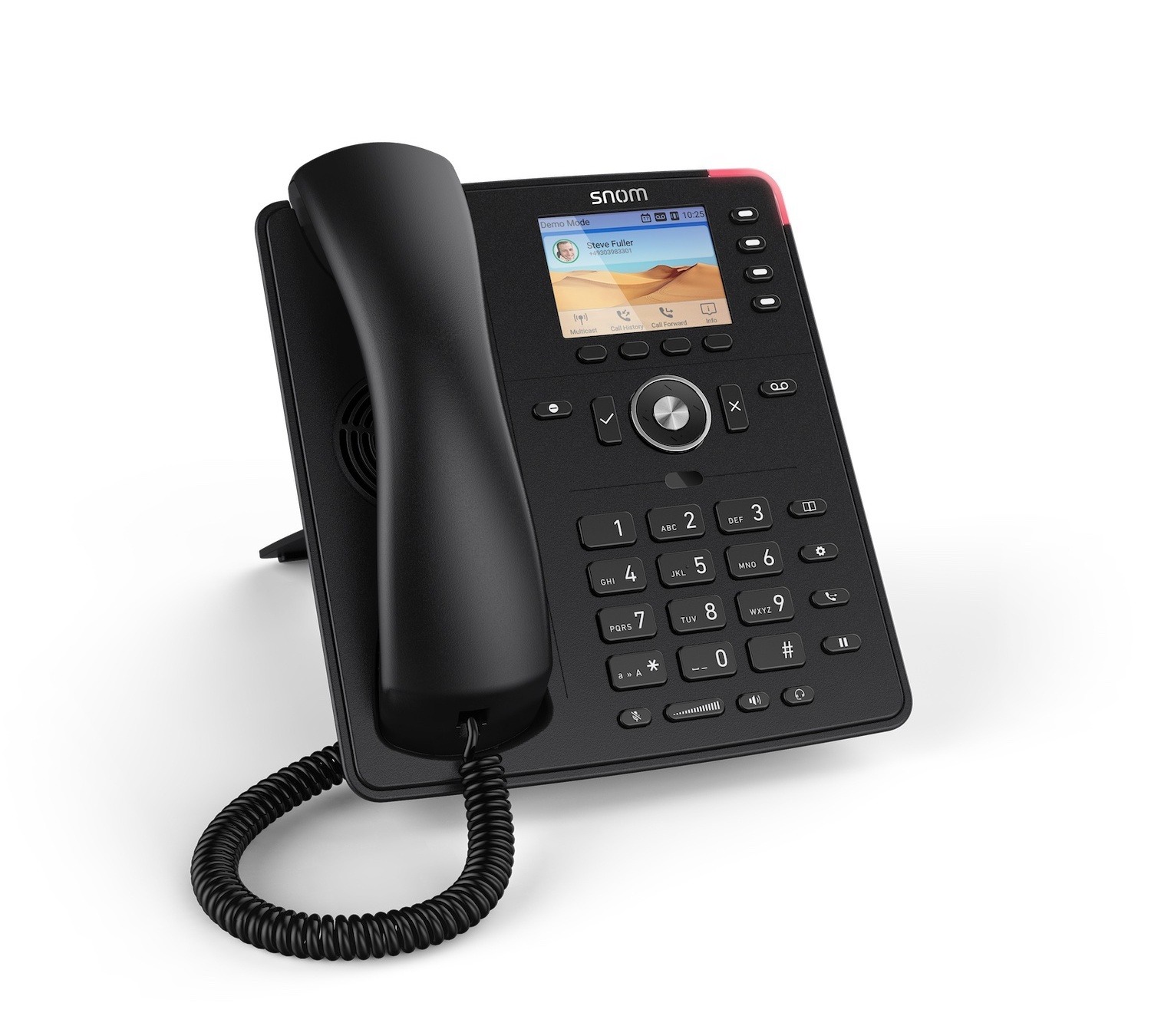
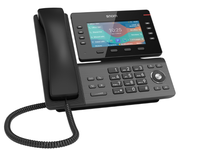
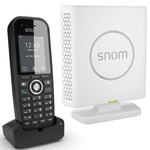
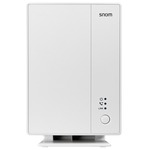
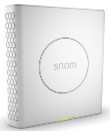

Filenames:
- snomXXX-mac.htm (XXX=320, 360..)
File Format:
- Plain text
Supported features
| Model | Firmware | Basic | Time/Date | HTTP Directory | LDAP Directory | Directory/BLF | UAD General Template | UAD Template (extension) | Preffered Codec | DHCP Settings | HTTP Provisioning | HTTPS Provisioning | Hot Desking |
|---|---|---|---|---|---|---|---|---|---|---|---|---|---|
| 320 | 8.7.3.7 | ✔ | ✘ | ✘ | ✘ | ✘ | ✔ | ✔ | ✘ | ✔ | ✘ | ✘ | ✘ |
| 360 | 8.7.3.25 | ✔ | ✘ | ✘ | ✘ | ✘ | ✔ | ✔ | ✘ | ✔ | ✘ | ✘ | ✘ |
| 710 | 8.9.3.80 | ✔ | ✔ | ✘ | ✘ | ✔ | ✔ | ✔ | ✘ | ✔ | ✘ | ✘ | ✘ |
| D120 | 10.1.33.33 | ✔ | ✔ | ✘ | ✔ | N/A | ✔ | ✔ | ✘ | ✔ | ✔ | ✔ | ✘ |
| D150 | 10.1.198.19 | ✔ | ✔ | ✘ | ✔ | ✔ | ✔ | ✔ | ✘ | ✔ | ✔ | ✔ | ✘ |
| D315 | 8.9.3.80 | ✔ | ✔ | ✘ | ✔ | ✘ | ✔ | ✔ | ✘ | ✔ | ✘ | ✘ | ✘ |
| D335 | 10.1.57.14 | ✔ | ✔ | ✘ | ✔ | ✔ | ✔ | ✔ | ✘ | ✔ | ✔ | ✘ | ✘ |
| D345 | 8.9.3.80 | ✔ | ✔ | ✘ | ✔ | ✔ | ✔ | ✔ | ✘ | ✔ | ✘ | ✘ | ✘ |
| D375 | 8.9.3.80 | ✔ | ✔ | ✘ | ✔ | ✔ | ✔ | ✔ | ✘ | ✔ | ✘ | ✘ | ✘ |
| D385 | 10.1.57.14 | ✔ | ✔ | ✘ | ✔ | ✔ | ✔ | ✔ | ✘ | ✔ | ✔ | ✘ | ✘ |
| D713 | 10.1.137.15 | ✔ | ✔ | ✘ | ✔ | ✔ | ✔ | ✔ | ✘ | ✔ | ✔ | ✔ | ✘ |
| D715 | 8.9.3.80 | ✔ | ✔ | ✘ | ✔ | ✔ | ✔ | ✔ | ✘ | ✔ | ✘ | ✘ | ✘ |
| D717 | 10.1.33.1 | ✔ | ✔ | ✘ | ✔ | ✔ | ✔ | ✔ | ✘ | ✔ | ✔ | ✔ | ✘ |
| D735 | 10.1.33.33 | ✔ | ✔ | ✘ | ✔ | ✔ | ✔ | ✔ | ✘ | ✔ | ✔ | ✔ | ✘ |
| D745 | 8.9.3.80 | ✔ | ✔ | ✘ | ✔ | ✔ | ✔ | ✔ | ✘ | ✔ | ✘ | ✘ | ✘ |
| D765 | 8.9.3.80 | ✔ | ✔ | ✘ | ✔ | ✔ | ✔ | ✔ | ✘ | ✔ | ✘ | ✘ | ✘ |
| D785 | 10.1.33.33 | ✔ | ✔ | ✘ | ✔ | ✔ | ✔ | ✔ | ✘ | ✔ | ✘ | ✘ | ✘ |
| D812 | 10.1.184.15 | ✔ | ✔ | ✘ | ✔ | ✔ | ✔ | ✔ | ✘ | ✔ | ✔ | ✔ | ✘ |
| D815 | 10.1.184.15 | ✔ | ✔ | ✘ | ✔ | ✔ | ✔ | ✔ | ✘ | ✔ | ✔ | ✔ | ✘ |
| D862 | 10.1.159.12 | ✔ | ✔ | ✘ | ✔ | ✔ | ✔ | ✔ | ✘ | ✔ | ✔ | ✘ | ✘ |
| D865 | 10.1.159.12 | ✔ | ✔ | ✘ | ✔ | ✔ | ✔ | ✔ | ✘ | ✔ | ✔ | ✘ | ✘ |
| PA1 | 8.7.5.75 | ✔ | ✘ | ✘ | ✘ | ✘ | ✔ | ✔ | ✘ | ✔ | ✔ | ✘ | ✘ |
| PA1+ | 10.1.137.15 | ✔ | ✘ | ✘ | ✘ | ✘ | ✔ | ✔ | ✘ | ✔ | ✔ | ✔ | ✘ |
| HD100 | 1.0.2.1 | ✔ | ✘ | ✘ | ✘ | ✘ | ✔ | ✔ | ✔ | ✔ | ✔ | ✔ | ✘ |
| HD101 | 1.0.2.1 | ✔ | ✘ | ✘ | ✘ | ✘ | ✔ | ✔ | ✔ | ✔ | ✔ | ✔ | ✘ |
| HD350W | 1.0.2.5 | ✔ | ✘ | ✘ | ✘ | ✘ | ✔ | ✔ | ✔ | ✔ | ✔ | ✔ | ✘ |
| HD351W | 1.0.2.5 | ✔ | ✘ | ✘ | ✘ | ✘ | ✔ | ✔ | ✔ | ✔ | ✔ | ✔ | ✘ |
| HM201 | 1.0.2.1 | ✔ | ✔ | ✘ | ✘ | ✘ | ✔ | ✔ | ✔ | ✔ | ✔ | ✔ | ✘ |
| M100 | 1.0.5.7 | ✔ | ✔ | ✘ | ✔ | ✘ | ✔ | ✔ | ✘ | ✔ | ✔ | ✔ | ✘ |
| M300 | IPDECT-V2/05.00/B0001 | ✔ | ✘ | ✘ | ✔ | ✘ | ✔ | ✔ | ✘ | ✔ | ✔ | ✘ | ✘ |
| M400 | IPDECT-V2/06.10/B0004 | ✔ | ✔ | ✘ | ✔ | ✘ | ✔ | ✔ | ✘ | ✔ | ✔ | ✔ | ✘ |
| M500 | 1.11.3 | ✔ | ✔ | ✘ | ✔ | ✘ | ✔ | ✔ | ✘ | ✔ | ✔ | ✘ | ✘ |
| M900 | IPDECT-V2/05.00/B0001 | ✔ | ✘ | ✘ | ✔ | ✘ | ✔ | ✔ | ✘ | ✔ | ✔ | ✘ | ✘ |
Huawei Information
Provisioning Method
OPTION 246 only
Huawei devices
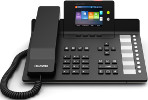
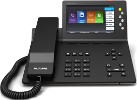
Filenames:
- mac.xml
Supported features
| Model | Firmware | Basic | Time/Date | HTTP Directory | Directory/BLF | UAD General Template | UAD Template (extension) | Preffered Codec | DHCP Settings | HTTP Provisioning | HTTPS Provisioning | Hot Desking |
|---|---|---|---|---|---|---|---|---|---|---|---|---|
| eSpace 7910 | xxxSPCh00 | ✔ | ✔ | ✔ | ✔ | ✔ | ✔ | ✘ | ✘ | ✘ | ✘ | ✘ |
| eSpace 7950 | xxxSPCh00 | ✔ | ✔ | ✔ | ✔ | ✔ | ✔ | ✘ | ✘ | ✘ | ✘ | ✘ |
Fanvil Information
Provisioning Method
HTTPS, HTTP & TFTP
Fanvil devices
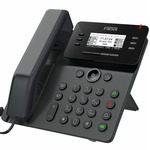
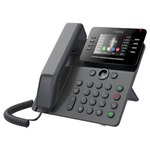
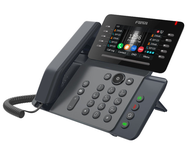
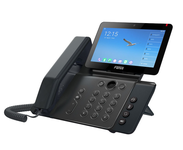
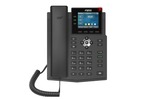
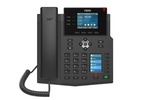
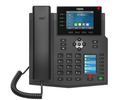
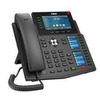
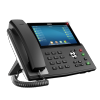
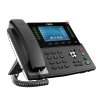
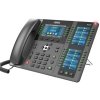
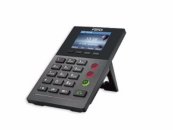
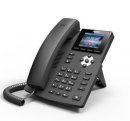
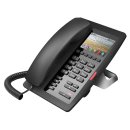
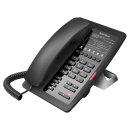
Filenames:
Main Configuration file:
- mac.cfg
BLF/Directory list:
- mac.csv
Supported features
| Model | Firmware | Basic | Time/Date | HTTP Directory | Directory/BLF | UAD General Template | UAD Template (extension) | Preffered Codec | DHCP Settings | HTTP Provisioning | HTTPS Provisioning | Hot Desking |
|---|---|---|---|---|---|---|---|---|---|---|---|---|
| H3 | 2.0.2.2822 | ✔ | N/A | N/A | N/A | ✔ | ✔ | ✔ | ✔ | ✔ | ✔ | ✘ |
| H5 | 2.0.2.2818 | ✔ | ✘ | N/A | N/A | ✔ | ✔ | ✔ | ✔ | ✔ | ✔ | ✘ |
| V61G | 2.12.20.3 | ✔ | ✔ | ✔ | ✔ | ✔ | ✔ | ✔ | ✔ | ✔ | ✔ | ✔ |
| V62 | 2.12.15.1 | ✔ | ✔ | ✔ | ✔ | ✔ | ✔ | ✔ | ✔ | ✔ | ✔ | ✔ |
| V62W | 2.12.18.15 | ✔ | ✔ | ✔ | ✔ | ✔ | ✔ | ✔ | ✔ | ✔ | ✔ | ✔ |
| V63 | 2.12.20.3 | ✔ | ✔ | ✔ | ✔ | ✔ | ✔ | ✔ | ✔ | ✔ | ✔ | ✔ |
| V64 | 2.12.2 | ✔ | ✔ | ✔ | ✔ | ✔ | ✔ | ✔ | ✔ | ✔ | ✔ | ✔ |
| V65 | 2.12.15.1 | ✔ | ✔ | ✔ | ✔ | ✔ | ✔ | ✔ | ✔ | ✔ | ✔ | ✔ |
| V67 | 2.6.6.112 | ✔ | ✔ | ✔ | ✔ | ✔ | ✔ | ✔ | ✔ | ✔ | ✔ | ✔ |
| X2P | 2.2.0.3753 | ✔ | ✘ | ✔ | N/A | ✔ | ✔ | ✔ | ✔ | ✔ | ✔ | ✘ |
| X3G | 2.2.0.3685 | ✔ | ✘ | ✔ | ✔ | ✔ | ✔ | ✔ | ✔ | ✔ | ✔ | ✘ |
| X3SP | 2.2.0.3685 | ✔ | ✘ | ✔ | ✔ | ✔ | ✔ | ✔ | ✔ | ✔ | ✔ | ✘ |
| X4 | 2.0.3.3019 | ✔ | ✘ | ✔ | ✔ | ✔ | ✔ | ✔ | ✔ | ✔ | ✔ | ✘ |
| X4G | 2.2.0.3685 | ✔ | ✘ | ✔ | ✔ | ✔ | ✔ | ✔ | ✔ | ✔ | ✔ | ✘ |
| X3U | 2.4.8 | ✔ | ✔ | ✔ | ✔ | ✔ | ✔ | ✔ | ✔ | ✔ | ✔ | ✔ |
| X4U | 2.4.3 | ✔ | ✔ | ✔ | ✔ | ✔ | ✔ | ✔ | ✔ | ✔ | ✔ | ✔ |
| X5U | 2.4.5 | ✔ | ✔ | ✔ | ✔ | ✔ | ✔ | ✔ | ✔ | ✔ | ✔ | ✔ |
| X6U | 2.4.5 | ✔ | ✔ | ✔ | ✔ | ✔ | ✔ | ✔ | ✔ | ✔ | ✔ | ✔ |
| X5S | 0.9.0 | ✔ | ✘ | ✔ | ✔ | ✔ | ✔ | ✔ | ✔ | ✔ | ✔ | ✘ |
| X6 | 0.7.0.1 | ✔ | ✘ | ✔ | ✔ | ✔ | ✔ | ✔ | ✔ | ✔ | ✔ | ✘ |
| X7 | 1.0.15 | ✔ | ✔ | ✔ | ✔ | ✔ | ✔ | ✔ | ✔ | ✔ | ✔ | ✔ |
| X7A | 2.6.0.1153 | ✔ | ✔ | ✔ | ✔ | ✔ | ✔ | ✔ | ✔ | ✔ | ✔ | ✔ |
| X7C | 1.0.15 | ✔ | ✔ | ✔ | ✔ | ✔ | ✔ | ✔ | ✔ | ✔ | ✔ | ✔ |
| X210 | 1.0.13 | ✔ | ✘ | ✔ | ✔ | ✔ | ✔ | ✔ | ✔ | ✔ | ✔ | ✘ |
| W610W | 2.14.0.22 | ✔ | ✔ | ✘ | ✔ | ✔ | ✔ | ✔ | ✔ | ✔ | ✔ | ✔ |
| W611W | 2.14.2.25 | ✔ | ✔ | ✘ | ✔ | ✔ | ✔ | ✔ | ✔ | ✔ | ✔ | ✔ |
Flyingvoice Information
Provisioning Method
HTTPS, HTTP & TFTP
Flyingvoice devices
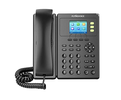
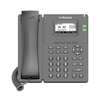
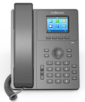
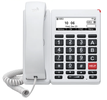
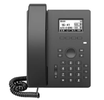
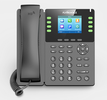
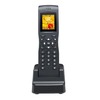
Filenames:
Main Configuration file:
- mac.cfg
Supported features
| Model | Firmware | Basic | Time/Date | HTTP Directory | Directory/BLF | UAD General Template | UAD Template (extension) | Preffered Codec | DHCP Settings | HTTP Provisioning | HTTPS Provisioning | Hot Desking |
|---|---|---|---|---|---|---|---|---|---|---|---|---|
| FIP10 | 0.7.73 | ✔ | ✔ | ✔ | ✔ | ✔ | ✔ | ✔ | ✔ | ✔ | ✔ | ✘ |
| FIP12WP | 0.7.72 | ✔ | ✔ | ✔ | ✘ | ✔ | ✔ | ✔ | ✔ | ✔ | ✔ | ✘ |
| FIP16 Plus | 0.2.28 | ✔ | ✔ | ✔ | ✘ | ✔ | ✔ | ✔ | ✔ | ✔ | ✔ | ✘ |
| P10 | 0.8.18.3 | ✔ | ✔ | ✔ | ✘ | ✔ | ✔ | ✔ | ✔ | ✔ | ✔ | ✘ |
| P10G | 0.11.6 | ✔ | ✔ | ✔ | ✘ | ✔ | ✔ | ✔ | ✔ | ✔ | ✔ | ✘ |
| P10LTE | 0.11.6 | ✔ | ✔ | ✔ | ✘ | ✔ | ✔ | ✔ | ✔ | ✔ | ✔ | ✘ |
| P10P | 0.7.74 | ✔ | ✔ | ✔ | ✘ | ✔ | ✔ | ✔ | ✔ | ✔ | ✔ | ✘ |
| P10W | 0.12.2 | ✔ | ✔ | ✔ | ✘ | ✔ | ✔ | ✔ | ✔ | ✔ | ✔ | ✘ |
| P11 | 0.12.12 | ✔ | ✔ | ✔ | ✘ | ✔ | ✔ | ✔ | ✔ | ✔ | ✔ | ✘ |
| P11G | 0.12.12 | ✔ | ✔ | ✔ | ✘ | ✔ | ✔ | ✔ | ✔ | ✔ | ✔ | ✘ |
| P11LTE | 0.12.12 | ✔ | ✔ | ✔ | ✘ | ✔ | ✔ | ✔ | ✔ | ✔ | ✔ | ✘ |
| P11P | 0.12.12 | ✔ | ✔ | ✔ | ✘ | ✔ | ✔ | ✔ | ✔ | ✔ | ✔ | ✘ |
| P11W | 0.12.2 | ✔ | ✔ | ✔ | ✘ | ✔ | ✔ | ✔ | ✔ | ✔ | ✔ | ✘ |
| P22G | 0.12.2 | ✔ | ✔ | ✔ | ✘ | ✔ | ✔ | ✔ | ✔ | ✔ | ✔ | ✘ |
| P22P | 0.12.2 | ✔ | ✔ | ✔ | ✘ | ✔ | ✔ | ✔ | ✔ | ✔ | ✔ | ✘ |
| P20 | 0.12.2 | ✔ | ✔ | ✔ | ✔ | ✔ | ✔ | ✔ | ✔ | ✔ | ✔ | ✘ |
| P20G | 0.12.2 | ✔ | ✔ | ✔ | ✔ | ✔ | ✔ | ✔ | ✔ | ✔ | ✔ | ✘ |
| P20P | 0.12.2 | ✔ | ✔ | ✔ | ✔ | ✔ | ✔ | ✔ | ✔ | ✔ | ✔ | ✘ |
| P23G | 0.9.19 | ✔ | ✔ | ✔ | ✔ | ✔ | ✔ | ✔ | ✔ | ✔ | ✔ | ✘ |
| P23GW | 0.7.73 | ✔ | ✔ | ✔ | ✔ | ✔ | ✔ | ✔ | ✔ | ✔ | ✔ | ✘ |
Wildix Information
Provisioning Method
HTTP & TFTP
Wildix devices

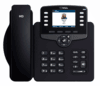
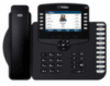
Filenames:
Main Configuration file:
- mac.cfg
Supported features
| Model | Firmware | Basic | Time/Date | HTTP Directory | Directory/BLF | UAD General Template | UAD Template (extension) | Preffered Codec | DHCP Settings | HTTP Provisioning | HTTPS Provisioning | Hot Desking |
|---|---|---|---|---|---|---|---|---|---|---|---|---|
| WP410 | 150.145.2.13 | ✔ | ✔ | ✘ | ✘ | ✔ | ✔ | ✔ | ✔ | ✔ | ✘ | ✔ |
| WP480 | 65.145.6.32 | ✔ | ✔ | ✘ | ✔ | ✔ | ✔ | ✔ | ✔ | ✔ | ✘ | ✔ |
| WP490G | 67.145.7.104 | ✔ | ✔ | ✘ | ✔ | ✔ | ✔ | ✔ | ✔ | ✔ | ✘ | ✔ |
CyberData Information
Provisioning Method
HTTP, HTTPS & TFTP
CyberData devices

Filenames:
Main Configuration file:
- mac.xml
Supported features
| Model | Firmware | Basic | Time/Date | HTTP Directory | Directory/BLF | UAD General Template | UAD Template (extension) | Preffered Codec | DHCP Settings | HTTP Provisioning | HTTPS Provisioning | Hot Desking |
|---|---|---|---|---|---|---|---|---|---|---|---|---|
| SIP Call Button 011049 | v22.0.4 | ✔ | ✔ | ✘ | ✘ | ✔ | ✔ | ✔ | ✔ | ✔ | ✔ | ✘ |
Panasonic Information
Provisioning Method
HTTP & TFTP
Panasonic devices
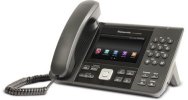
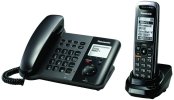
Filenames:
Main Configuration file:
- mac.cfg
Supported features
| Model | Firmware | Basic | Time/Date | HTTP Directory | Directory/BLF | UAD General Template | UAD Template (extension) | Preffered Codec | DHCP Settings | HTTP Provisioning | HTTPS Provisioning | Hot Desking |
|---|---|---|---|---|---|---|---|---|---|---|---|---|
| KX-UTG300B | 3.137 | ✔ | ✔ | N/A | ✔ | ✔ | ✔ | ✔ | ✔ | ✔ | ✘ | ✘ |
| KX-TGP550 | 12.9 | ✔ | ✔ | N/A | N/A | ✔ | ✔ | ✘ | ✘ | ✘ | ✘ | ✘ |
| KX-HDV130 | ||||||||||||
| KX-HDV230C | HDV230/11.180 | ✔ | ✔ | N/A | ✔ | ✔ | ✔ | ✔ | ✔ | ✔ | ✘ | ✘ |
| KX-HDV330C | HDV330/11.100 | ✔ | ✔ | N/A | ✔ | ✔ | ✔ | ✔ | ✔ | ✔ | ✘ | ✘ |
| KX-UT113 | ||||||||||||
| KX-UT123 | ||||||||||||
| KX-UT133 | ||||||||||||
| KX-UT136 |
Avaya Information
Provisioning method
HTTP
Avaya devices
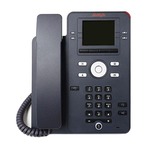
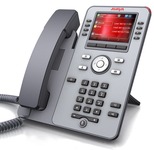
Filenames:
- mac.txt
- mac-directory.csv
File Format
- Plain text
Supported features
| Model | Firmware | Basic | Time/Date | HTTP Directory | Directory/BLF | UAD General Template | UAD Template (extension) | Preffered Codec | DHCP Settings | HTTP Provisioning | HTTPS Provisioning | Hot Desking |
|---|---|---|---|---|---|---|---|---|---|---|---|---|
| J139 | 4.1.5.0.6 | ✔ | ✔ | ✔ | ✔ | ✔ | ✔ | ✘ | ✔ | ✔ | ✘ | ✘ |
| J179 | 4.1.5.0.6 | ✔ | ✔ | ✔ | ✔ | ✔ | ✔ | ✘ | ✔ | ✔ | ✘ | ✘ |
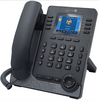
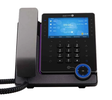
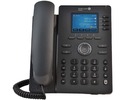
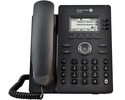
Alcatel Information
Provisioning Method
HTTPS, HTTP & TFTP
Alcatel devices
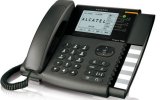
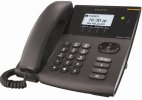
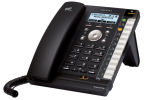
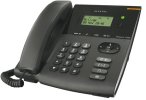
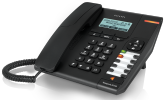
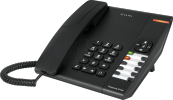
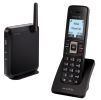
Filenames:
Main Configuration file:
- Alcatel_IPxxx-MAC.cfg
Supported features
| Model | Firmware | Basic | Time/Date | HTTP Directory | Directory/BLF | UAD General Template | UAD Template (extension) | Preffered Codec | DHCP Settings | HTTP Provisioning | HTTPS Provisioning | Hot Desking |
|---|---|---|---|---|---|---|---|---|---|---|---|---|
| H6 | 2.12.07.000.1214 | ✔ | ✔ | ✔ | ✔ | ✔ | ✔ | ✔ | ✔ | ✔ | ✔ | ✔ |
| H3G | 2.12.07.000.1214 | ✔ | ✔ | ✔ | ✔ | ✔ | ✔ | ✔ | ✔ | ✔ | ✔ | ✔ |
| H2P | 2.10.00.0001060 | ✔ | ✔ | ✔ | ✔ | ✔ | ✔ | ✔ | ✔ | ✔ | ✔ | ✘ |
| IP800 | 15.70.0.136 | ✔ | ✔ | ✔ | ✔ | ✔ | ✔ | ✘ | ✘ | ✔ | ✔ | ✘ |
| IP600 | 14.70.0.144 | ✔ | ✔ | ✔ | ✔ | ✔ | ✔ | ✘ | ✘ | ✔ | ✔ | ✘ |
| IP300 | 1.0.5b | ✔ | ✔ | ✔ | ✔ | ✔ | ✔ | ✘ | ✘ | ✔ | ✔ | ✘ |
| IP200 | 13.70.0.144 | ✔ | ✔ | N/A | ✔ | ✔ | ✔ | ✘ | ✘ | ✔ | ✔ | ✘ |
| IP150 | 0.64.2a | ✔ | ✔ | ✔ | ✔ | ✔ | ✔ | ✘ | ✘ | ✔ | ✔ | ✘ |
| IP100 | 0.64.6b | ✔ | N/A | N/A | N/A | ✔ | ✔ | ✘ | ✘ | ✔ | ✔ | ✘ |
| IP2015 | 1.0.5b | ✔ | N/A | N/A | N/A | ✔ | ✔ | ✘ | ✘ | ✔ | ✔ | ✘ |
| IP1020 | ||||||||||||
| M3 | 2.12.07.010.1828 | ✔ | ✔ | ✔ | ✔ | ✔ | ✔ | ✔ | ✔ | ✔ | ✘ | ✔ |
| M5 | 2.13.01.000.1899 | ✔ | ✔ | ✔ | ✔ | ✔ | ✔ | ✔ | ✔ | ✔ | ✘ | ✔ |
| M7 | 2.12.04.000.1720 | ✔ | ✔ | ✔ | ✔ | ✔ | ✔ | ✔ | ✔ | ✔ | ✘ | ✔ |
| M8 | 2.13.32.000.2113 | ✔ | ✔ | ✔ | ✔ | ✔ | ✔ | ✔ | ✔ | ✔ | ✘ | ✔ |
Aastra Information
Provisioning method
TFTP only, HTTP not possible as Aastra devices does not support username and password.
Aastra devices
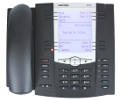
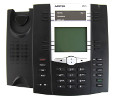
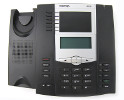
Filenames:
- aastra.cfg
- mac.cfg
- mac-directory.csv
Directory list in CSV format.
File Format
- Plain text
Supported features
| Model | Firmware | Basic | Time/Date | HTTP Directory | Directory/BLF | UAD General Template | UAD Template (extension) | Preffered Codec | DHCP Settings | HTTP Provisioning | HTTPS Provisioning | Hot Desking |
|---|---|---|---|---|---|---|---|---|---|---|---|---|
| 6757i | 3.2.0.70 | ✔ | ✘ | ✘ | ✔ | ✔ | ✔ | ✘ | ✔ | ✘ | ✘ | ✘ |
| 6755i | ||||||||||||
| 6753i | ||||||||||||
| 480i | ||||||||||||
| 9112i | ||||||||||||
| 9133i |
ReadyNet devices
Provisioning method
TFTP only, HTTP not possible as ReadyNet devices does not support username and password.
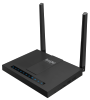
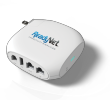
ReadyNet devices
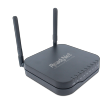
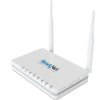
Filenames:
- MAC.conf
File Format
- Plain text
Supported features
| Model | Firmware | Basic | Time/Date | HTTP Directory | Directory/BLF | UAD General Template | UAD Template (extension) | Preffered Codec | DHCP Settings | HTTP Provisioning | HTTPS Provisioning | Hot Desking |
|---|---|---|---|---|---|---|---|---|---|---|---|---|
| AC1200MS | 3.20 | ✔ | N/A | N/A | N/A | ✔ | ✔ | ✘ | ✘ | ✘ | ✘ | ✘ |
| AC1100MSF | 3.20 | ✔ | N/A | N/A | N/A | ✔ | ✔ | ✘ | ✘ | ✘ | ✘ | ✘ |
| AC1000MS | 3.20 | ✔ | N/A | N/A | N/A | ✔ | ✔ | ✘ | ✘ | ✘ | ✘ | ✘ |
| QX300 | 3.20 | ✔ | N/A | N/A | N/A | ✔ | ✔ | ✘ | ✘ | ✘ | ✘ | ✘ |
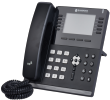
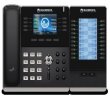
Sangoma Information
Provisioning method
TFTP only, HTTP not possible as Sangoma devices do not support username and password.
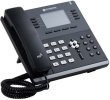
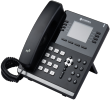
Sangoma devices
Filenames:
- cfgMAC
Supported features
| Model | Firmware | Basic | Time/Date | HTTP Directory | Directory/BLF | UAD General Template | UAD Template (extension) | Preffered Codec | DHCP Settings | HTTP Provisioning | HTTPS Provisioning | Hot Desking |
|---|---|---|---|---|---|---|---|---|---|---|---|---|
| S500 | 2.0.4 | ✔ | ✔ | ✘ | ✘ | ✔ | ✔ | ✔ | ✔ | ✘ | ✘ | |
| S505 | 3.0.4 | ✔ | ✔ | ✘ | ✘ | ✔ | ✔ | ✔ | ✔ | ✘ | ✘ | |
| S700 | 2.0.4 | ✔ | ✔ | ✘ | ✘ | ✔ | ✔ | ✔ | ✔ | ✘ | ✘ | |
| S705 | 3.0.4 | ✔ | ✔ | ✘ | ✘ | ✔ | ✔ | ✔ | ✔ | ✘ | ✘ |