
PBXware System Dashboard provides a single-page overview of important PBXware information and statistics in real time. On this page you are able to see information on running services, call statistics, licensing, and app usage as well as hardware status information.
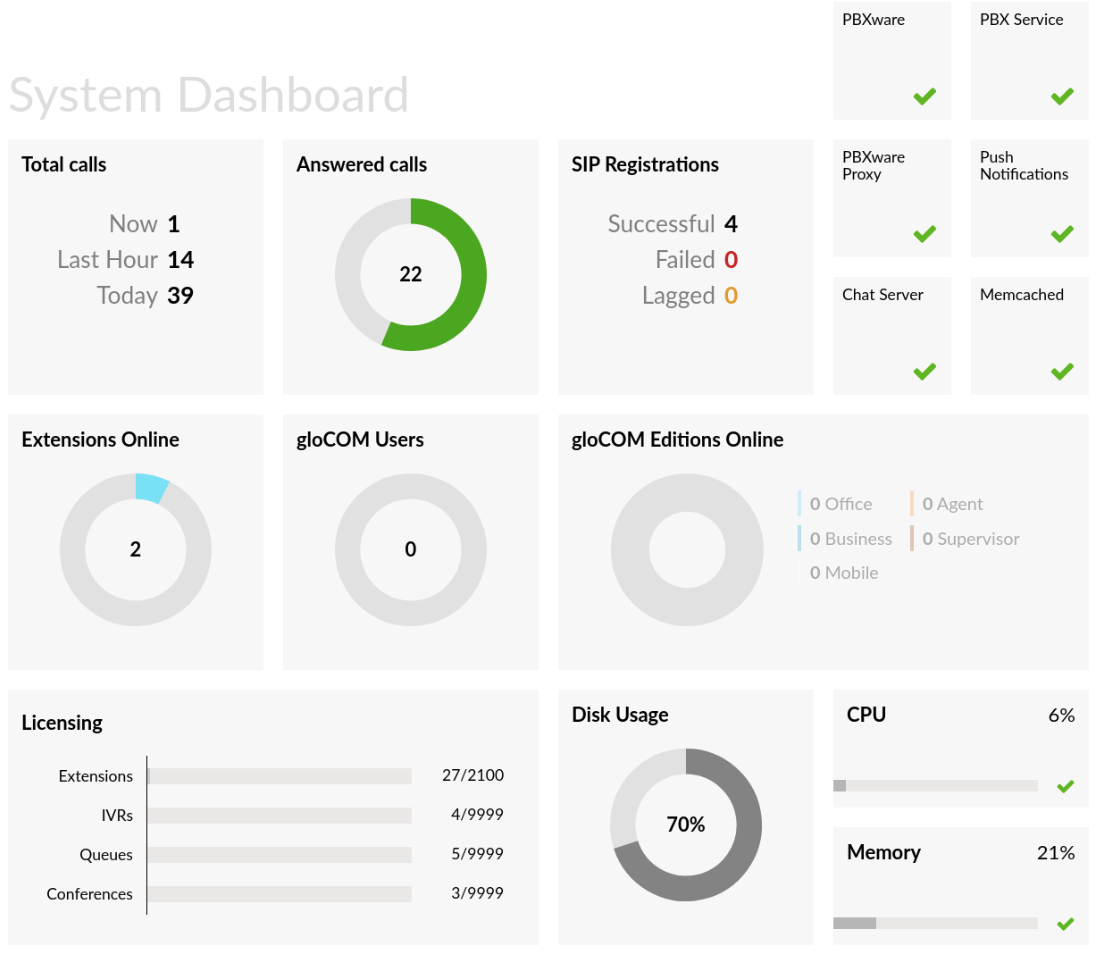
Calls Overview
The calls overview section displays information on the number of live calls on PBXware along with the number of calls in the past hour, the number of calls made in the current day as well as Answered calls, displayed in a circle that depicts the percentage of answered calls vs total calls.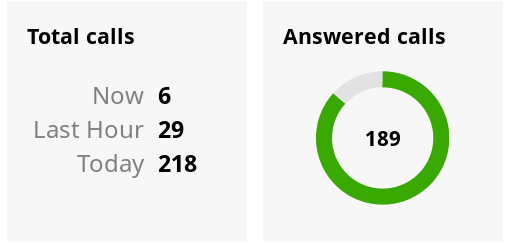
- Now
A number of current calls on PBXware.
- Last Hour
A number of PBXware calls in past hours.
- Today
A number of calls for a current day.
- Answered calls
A number of answered calls displayed in percentage.
SIP Registrations
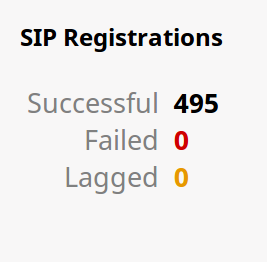
SIP Registrations displays information on successful, failed and lagged SIP registrations.
- Successful
A number of successful PBXware SIP registrations.
- Failed
A number of failed PBXware SIP registrations.
- Lagged
A number of PBXware SIP registrations that are currently in the lagged state.
Note: If any of these three values is different than zero, you will be able to click on it to get more information.
PBXware services
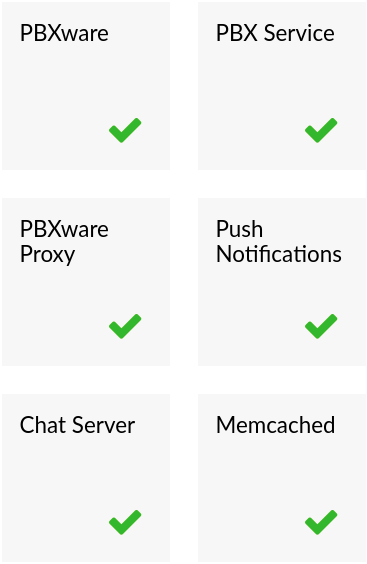
The services section of the PBXware dashboard allows you to monitor the current status of main system services: PBXware, PBX Service, PBXware Proxy, Push Notifications, Chat Server, and Memcached. If the green check mark icon is displayed, the service is running without any issues, otherwise, the red *X* mark will inform you that there are some issues with the service and that it has been stopped.
- PBXware
This represents the main PBXware service, if the PBXware service stops for some reason you will not be able to access your system through a web interface.
- PBX Service
PBX Service is the core service PBXware is running on. In case PBX Service is not running, you will be able to access the PBXware web interface but you will not be able to make or receive calls.
- PBXware Proxy
PBXware Proxy is connected to the asterisk manager and reading events which are then put into Memcached for later usage. Based on that data, the monitoring section will provide information users are interested in.
- Push Notifications
Push Notifications service will wake up mobile devices in case there is a call to that extension
- Chat Server
Chat Server is messaging service that allows you to use chat when connected to PBXware with our desktop and mobile apps.
- Memcached
Memcached service stores information which is read by PBXware Proxy.
Extensions Online
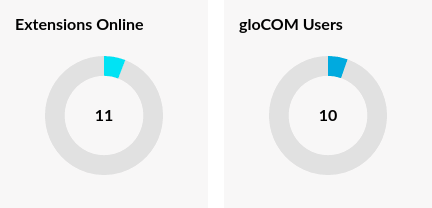
Extensions online diagram depicts the number of online extensions compared to the total number of PBXware extensions.
gloCOM Users
The GloCOM users diagram depicts the number of logged gloCOM users compared to the total number of available licenses.
gloCOM Editions Online
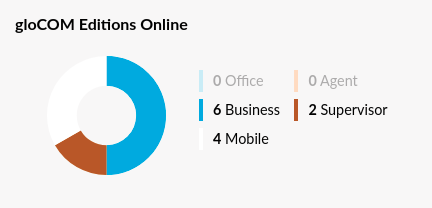
This section displays information on apps registered to PBXware and the editions they are using.
NOTE: Please take into consideration that numbers might be off slightly because of the way mobile devices are trying to minimize power consumption. Once the application is in the background and has not interacted with for some time, the device will defer CPU and network activity to that application.
Apps like gloCOM GO and Communicator GO are also affected by this and when the system is in Doze/background mode or when the system forces the application into a standby mode, applications may not be connected to a server and may not receive incoming calls. Doze mode on Android kicks in when a device is not used for more than an hour. On iOS applications become suspended when in the background for more than 10 minutes.
Licensing
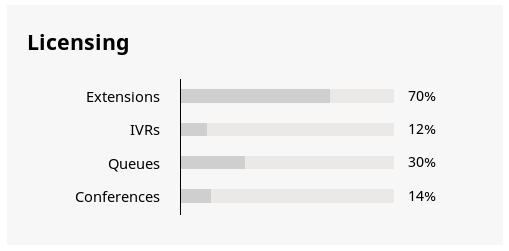
The licensing section helps you to prevent issues with licensing by displaying the percentage usage information of your PBXware license for Extensions, IVRs, Queues, and Conferences.
System Hardware Usage
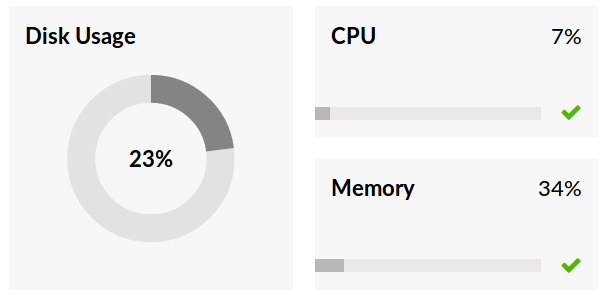
The hardware usage section displays important information on the current server load, it helps you easily monitor main hardware components like disk space, CPU, and memory usage.
- Disk Usage
The disk usage section displays information on current PBXware hard disk usage.
- CPU
CPU section displays information on current CPU usage on the PBXware server.
- Memory
The memory section displays information on current PBXware memory usage.